
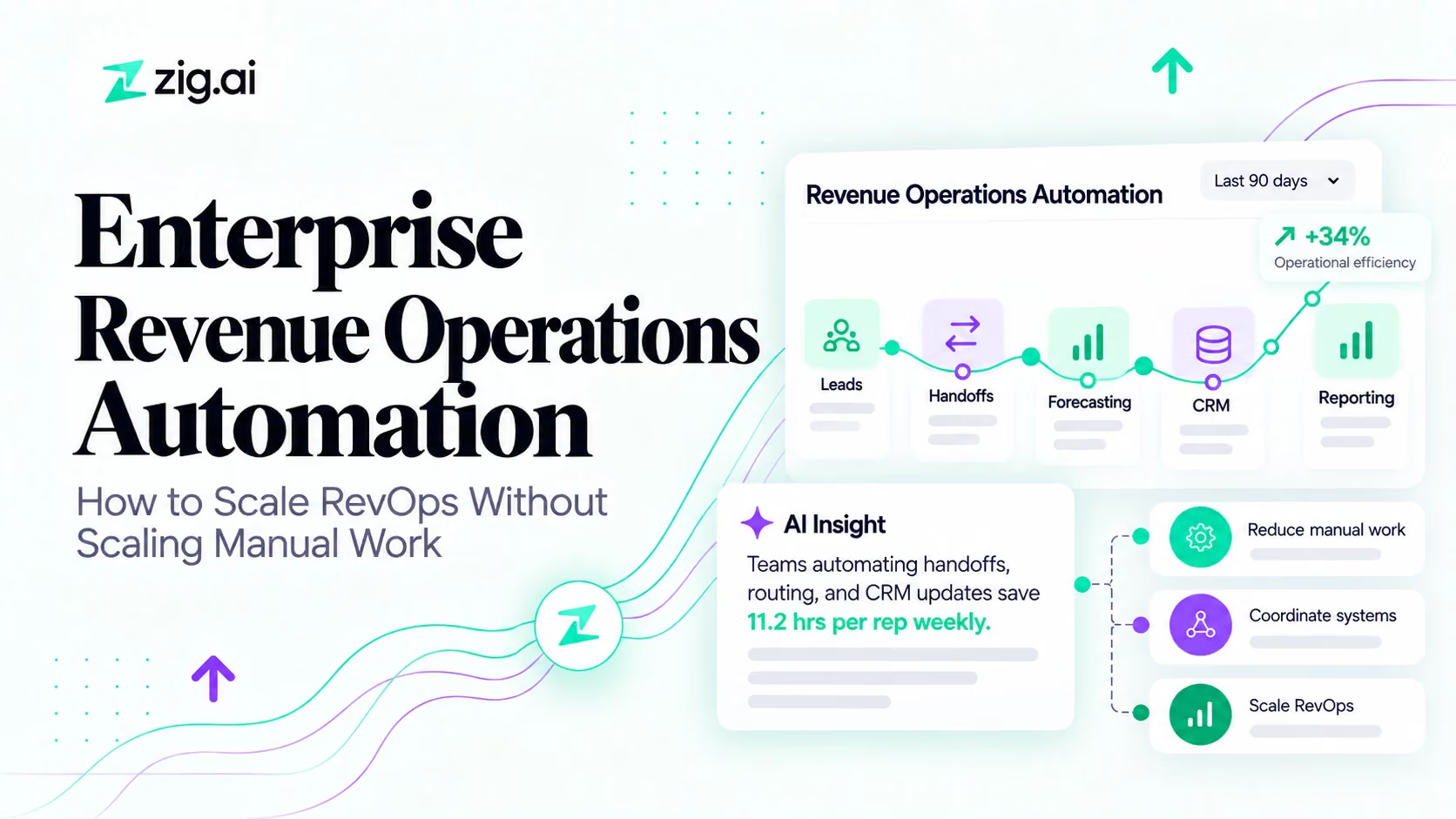
Enterprise revenue teams rarely struggle because they lack software. The harder problem is keeping data, ownership, decisions, and sales activity synchronized across the systems they already use.
A marketing automation platform may capture the lead. The CRM holds account ownership. A seller discovers new buying context during a meeting. Pipeline software identifies risk, while finance and leadership rely on the resulting forecast. Every break between those systems creates work for somebody in Revenue Operations.
Enterprise revenue operations automation is the use of integrations, rules, workflows, and AI agents to remove that manual coordination while preserving reliable systems of record and human ownership of commercial decisions.
The distinction is significant. Automating one task is useful. Automating the revenue operation means making sure the right context survives as work moves between teams and systems.
What Is Enterprise Revenue Operations Automation?
Revenue operations, or RevOps, coordinates the data, processes, technology, and operating rules that support the revenue organization. In an enterprise, that typically spans marketing, sales, customer success, finance inputs, CRM administration, analytics, and GTM systems.
Enterprise RevOps automation applies software to the repeatable work required to keep those functions aligned. That can include lead-to-account matching, qualification, routing, CRM maintenance, follow-up, pipeline inspection, SLA enforcement, reporting, and handoffs between teams.
Several adjacent categories overlap with that work, but they do different jobs.
Category | Primary Job |
CRM | Stores authoritative revenue records |
CRM automation | Automates processes around CRM records |
Marketing automation | Runs marketing engagement and lifecycle workflows |
Revenue intelligence | Analyzes pipeline, activity, conversations, and forecast signals |
Revenue orchestration | Coordinates actions across GTM systems |
Revenue operations automation | Automates operational processes across the revenue system |
Sales execution | Completes the work generated by those processes |
An enterprise may use several of these layers together. The real architectural decision is deciding which system owns each piece of data, which system decides what happens next, and where human approval remains necessary.
Why RevOps Becomes Harder at Enterprise Scale
Growth creates more than additional lead volume. It creates more possible states the revenue system must understand.
A single company may have several subsidiaries, regional account owners, existing opportunities, channel partners, product specialists, and buying committees. A new lead cannot simply be assigned to the next available rep if the account already belongs to an enterprise team in another region.
The same complexity appears later in the pipeline. Opportunity stages may feed forecasts, commissions, executive reporting, territory planning, and Customer Success capacity. A careless automated update can affect several downstream processes.
Enterprise scale therefore introduces five recurring pressures: more identity resolution, more ownership rules, more data dependencies, more exceptions, and more governance.
Manual RevOps can absorb some of that complexity for a while. Operations specialists resolve duplicate accounts, fix routing, chase sellers for updates, and reconcile reporting differences. The model stops scaling when people become the integration layer.
The Six Layers of Enterprise RevOps Automation
A useful enterprise architecture separates automation into layers instead of treating every workflow as an isolated trigger.
1. System of record
The organization first needs to define where authoritative information lives.
The CRM may own Accounts, Contacts, Opportunities, and sales activity. Another platform may own subscriptions, product usage, invoicing, or marketing engagement.
Automation becomes risky when several systems are allowed to overwrite the same business concept without a precedence rule.
2. Event layer
Automation begins because something changed.
A prospect submits a demo form. A meeting ends. An opportunity enters a new stage. A close date moves. A contract is signed. A customer approaches renewal.
Those events need consistent definitions before downstream automation can respond reliably.
3. Decision layer
The system determines what should happen.
Simple decisions often belong in deterministic rules. A named account should route to its assigned owner. An unsupported country may follow a predefined path.
AI becomes more useful when the system needs to interpret variable context, such as a buyer reply, conversation summary, or ambiguous deal signal.
4. Execution layer
Once a decision exists, somebody or something still needs to complete the work.
That may mean assigning an owner, updating a field, preparing follow-up, creating a task, booking a meeting, alerting a manager, or assembling account context.
Zig operates largely in this layer. Its agent model spans Research, Outreach, Meetings, Follow-Up, CRM Sync, and Pipeline, so information can continue into the work surrounding the seller instead of stopping at an insight.
5. Evidence layer
Every consequential automated action should leave evidence.
The organization should be able to determine what changed, when it changed, which system or agent acted, what information supported the action, and whether somebody approved it.
This becomes essential when RevOps investigates a routing failure or an unexpected CRM change.
6. Governance layer
Permissions, approvals, exceptions, monitoring, and correction sit across the entire model.
Enterprise automation is trustworthy when the organization can understand and control both the normal workflow and the failure path.
Manual Processes, Rules-Based Automation, and AI Agents Solve Different Problems
Enterprise teams do not need AI in every workflow. Deterministic automation remains preferable where the policy itself is deterministic.
Territory rules, account ownership, legal restrictions, and required-field validation may need explicit logic that behaves the same way every time. AI agents are more useful when the work depends on variable context.
RevOps Task | Manual Process | Rules-Based Automation | AI-Assisted Execution |
Lead assignment | Ops reviews record | Territory rule assigns owner | Context helps resolve complex routing |
CRM update | Rep enters changes | Field sync | Interaction context prepares updates |
Follow-up | Rep writes message | Template is triggered | Contextual draft prepared for approval |
Pipeline review | Manager inspects deals | Age alert fires | Several risk signals are interpreted |
Meeting preparation | Rep researches manually | Static report generated | Account and deal context assembled |
Forecast inputs | Rep updates fields | Dashboard refreshes | Activity and buyer signals improve evidence |
The goal is not replacing rules with AI. It is matching the mechanism to the uncertainty in the workflow.
For example, an AI model should not decide which tax region a customer belongs to when a deterministic legal rule can answer it. Conversely, a fixed workflow may struggle to interpret whether a buyer's reply represents interest, an objection, a referral, or a request to stop contact.
Zig's guide to CRM automation explores the same distinction between record automation, workflow automation, and more contextual execution.
Which RevOps Workflows Should Enterprises Automate First?
The best starting workflows usually share three traits: they happen often, the correct outcome is relatively clear, and the organization can measure whether the automation succeeded.
Lead-to-account matching is one example. Post-meeting CRM updates are another. Required-field validation, account research, lead routing, follow-up preparation, stale-opportunity alerts, and meeting preparation also fit well when the underlying process is already defined.
Higher-risk automation should come later.
If sales leadership cannot agree on when an opportunity truly enters a stage, automating stage progression will not solve the disagreement. If territory ownership contains undocumented exceptions, automation may simply assign leads incorrectly at greater speed.
Automation amplifies the quality of the process underneath it.
That is why enterprise RevOps teams should fix unclear operating rules before automating them.
Automating the Revenue Workflow From Capture to Pipeline
A revenue workflow is rarely one action. It is a chain in which the output from one stage becomes the context for the next.
Consider a high-intent inbound lead.
The initial record may need identity resolution and enrichment before qualification can happen. Qualification affects routing. Routing determines the seller or workflow that engages the buyer. The resulting meeting then produces new information that needs to reach the CRM and pipeline.
A simplified flow looks like this:
Capture → Resolve → Enrich → Qualify → Route → Engage → Meet → Update → Follow Up → Monitor
Each step should answer four operational questions:
What triggered this? What context is required? Which system owns the resulting state? What happens if automation cannot complete the step?
The exception path is particularly important at enterprise scale.
Suppose enrichment identifies two possible parent accounts. The system should not choose randomly so the SLA timer can continue. It needs an approved fallback, perhaps an account-matching workflow or RevOps review queue.
Zig's sales workflow architecture is relevant when the organization wants agentic execution to continue across research, outreach, meetings, follow-up, CRM, and active pipeline.
CRM Automation Is the Backbone of RevOps Automation
Revenue automation becomes unreliable when the CRM stops reflecting the actual commercial state.
A rep may have agreed to a new next step on a call while the CRM still shows the previous one. A close date may remain unchanged after a buyer delays procurement. Another opportunity may appear active despite weeks of silence.
CRM automation can reduce the maintenance burden through activity capture, structured update suggestions, field validation, task creation, next-step capture, ownership workflows, and stale-record detection.
That does not mean every CRM field should be changed automatically.
High-value account reassignment, ambiguous stage movement, opportunity closure, pricing decisions, and other consequential changes may still require explicit human judgment. Zig's CRM Sync model, for example, surfaces suggested changes for review instead of assuming every inferred update should be written without oversight.
The useful objective is a CRM that stays close enough to commercial reality that downstream automation and reporting can trust it.
Field Ownership Needs to Be Defined Before Automation Writes Anything
Enterprise CRM fields often have hidden ownership conflicts.
Take an opportunity close date.
A seller may change it manually. A forecasting platform may infer risk. An AI workflow may identify a new date in a buyer conversation. A manager may override the opportunity during forecast review.
Which value wins?
RevOps needs a policy before automating the field.
Important fields should have:
- an owning system
- an accountable team or role
- approved writers
- overwrite precedence
- validation logic
- refresh rules
- conflict handling
- change history
The same principle applies beyond the CRM. Customer status, account ownership, product usage, and contract dates can all become unreliable when several systems write competing values.
Enterprise revenue operations automation needs data authority, not just data movement.
Exception Handling Is Part of the Automation
A polished demo usually shows the happy path.
A serious enterprise evaluation should spend more time on the difficult cases.
What happens when a lead matches two accounts? What if no territory owner exists? What if the CRM API fails after the workflow has already sent a message? What if an AI agent has insufficient confidence to classify a buyer response?
Each workflow should define its failure behavior.
That usually includes a retry policy, fallback route, escalation owner, error queue, audit trail, and correction mechanism.
Duplicate execution deserves particular attention. If an integration times out after successfully completing an action, a retry should not create the same task or update twice.
This is why enterprise automation architecture needs more than a diagram of successful triggers and actions. Predictable failure is part of reliable automation.
Revenue Intelligence and Revenue Automation Are Different Layers
A revenue intelligence platform helps leaders understand what is happening across pipeline, conversations, activity, and forecasts.
Revenue operations automation determines what happens next.
Revenue intelligence might surface that a late-stage opportunity has gone quiet. Automation can notify the owner, prepare a re-engagement action, or create the appropriate task.
Conversation intelligence may identify an unresolved implementation concern. Automation can carry that context into the CRM and follow-up workflow.
The two layers reinforce each other. Insight without execution can become another dashboard. Execution without reliable intelligence can automate the wrong action.
Zig's guide to conversation intelligence covers how buyer signals can become structured revenue context. Its sales pipeline management guide explains how that context relates to active opportunities and pipeline movement.
Can RevOps Automation Improve Forecast Accuracy?
Automation can improve the evidence that supports a forecast. It cannot make a weak sales process objectively predictable.
Forecasting relies on inputs such as stage, close date, next step, buyer activity, stakeholder engagement, opportunity age, and seller judgment. When those fields are stale or incomplete, the forecast starts from weak evidence.
RevOps automation can improve the cadence and completeness of those inputs. Meeting context can support CRM updates. Stalled deals can be surfaced earlier. Required fields can be validated, and close-date movement can become easier to inspect.
That is different from saying automation guarantees better forecasts.
An organization with vague stage definitions, inflated pipeline, inconsistent qualification, or poor opportunity creation standards will still produce questionable forecasts.
Zig's guide to pipeline hygiene goes deeper into the relationship among CRM maintenance, pipeline quality, and forecasting.
Sales and Marketing Alignment Becomes More Concrete When Rules Are Shared
Sales and marketing alignment is often discussed as a communication problem. At enterprise scale, it is also an operating-rules problem.
The teams need common definitions for what enters the revenue workflow and what each stage requires.
That includes:
- lead definition
- account ownership
- qualification threshold
- response SLA
- recycling criteria
- attribution rules
- accepted handoff information
Automation can enforce those definitions once the teams agree on them.
For example, a high-intent existing account may bypass the standard MQL queue and route directly to its account owner. A lower-intent lead can enter nurture without occupying sales capacity.
The automation is not creating alignment. It is operationalizing the agreement that Marketing, Sales, and RevOps already made.
When those definitions conflict, encoding them into software only makes the conflict harder to ignore.
Multi-Channel RevOps Needs a Shared Account State
Enterprise buyers may appear through web forms, email, chat, phone, events, partner referrals, LinkedIn, and meetings.
Supporting all those channels is not enough. The harder problem is preventing each one from behaving as though it owns a separate customer.
Imagine an account responds positively to an email and schedules a meeting. A separate LinkedIn workflow should not continue treating that person as an untouched prospect.
An event badge scan should also recognize when the contact belongs to an active enterprise opportunity rather than creating a new lead for round-robin distribution.
Multi-channel revenue operations therefore depends on shared identity, account matching, suppression rules, ownership, and activity history.
Commercial email automation also remains subject to normal requirements. The FTC CAN-SPAM compliance guide explains requirements around commercial email, including B2B messages.
Enterprise Security and Governance Belong in the Workflow Design
AI agents and automation can touch customer information, CRM data, internal notes, buyer conversations, and commercial workflows. Governance cannot be added after the pilot succeeds.
Enterprise teams should evaluate authentication, permissions, SSO, auditability, retention, deletion, subprocessors, encryption, AI data usage, administrative overrides, and incident handling.
The NIST AI Risk Management Framework provides a vendor-neutral structure for thinking about AI risk, governance, monitoring, and trustworthiness. The NIST Privacy Framework offers a related structure for identifying and managing privacy risk.
The product-security review should also extend beyond compliance attestations. CISA's Secure by Demand guidance encourages software buyers to evaluate how vendors approach product security during procurement, rather than relying solely on broad compliance claims.
For Zig, enterprise buyers can review the Trust Center as part of the security process. Zig's Enterprise plan lists SOC 2 Type II, SSO, and a custom DPA.
How to Measure ROI From Revenue Operations Automation
Automation ROI should begin close to the workflow itself.
If the company automates lead routing, measure routing time, assignment errors, manual intervention, and SLA performance before jumping directly to revenue attribution.
A useful measurement framework has four levels.
Measurement Layer | Examples |
Workflow efficiency | Routing time, CRM-update latency, manual touches, exception rate |
Data quality | Required-field completion, duplicates, correction rate, stale records |
Revenue-process quality | Lead acceptance, qualified meetings, stage conversion, pipeline velocity |
Commercial outcome | Pipeline created, cycle length, forecast variance, revenue |
The further a metric moves from the automated workflow, the more other variables influence it.
A faster inbound-routing process may contribute to stronger conversion, but campaign quality, staffing, pricing, messaging, and buyer demand also affect the result.
RevOps should therefore establish a baseline and measure the direct process first. Commercial outcomes can then be evaluated alongside the operational evidence.
How to Choose an Enterprise Revenue Operations Automation Platform
A serious enterprise evaluation should test workflows rather than compare feature counts.
The buying team needs to know how deeply the platform works with the CRM, what happens when context changes, how failures are handled, which actions require approval, and who maintains the workflows after launch.
Criterion | What to Test | Enterprise Buyer Question |
CRM depth | Read and write behavior | Which objects and fields can the platform access? |
Workflow breadth | Processes crossing systems | Which workflows span more than one tool? |
State awareness | Changing commercial context | What happens when the account state changes? |
Exception handling | Failure behavior | What happens when automation cannot decide? |
Approval model | Human control | Which actions require human authorization? |
Auditability | Traceability | Can we see what changed and why? |
Security | Enterprise governance | Which controls apply to our deployment? |
Administration | Ongoing maintenance | Who owns workflows after implementation? |
Scalability | Teams and regions | Can rules differ by region or business unit? |
Economics | Operating cost | What manual work does the platform absorb? |
The demo should include failures.
Ask the vendor to show a duplicate account, ambiguous owner, failed integration, low-confidence AI decision, and a workflow requiring human escalation.
A platform that works beautifully only when every input is clean is not ready for enterprise RevOps.
Where Zig Fits in Enterprise Revenue Operations
Zig should not be evaluated as a replacement for every system in the revenue architecture.
It is not the data warehouse, billing system, CPQ, or underlying CRM.
Its role is closer to an execution layer around the sales motion. Zig's agents work across Research, Outreach, Meetings, Follow-Up, CRM Sync, and Pipeline, while sellers stay in control of buyer-facing actions.
That positioning becomes relevant when the organization already has the information and systems it needs but still depends on people to connect the work manually.
A rep researches the account. Another system records the meeting. The rep updates CRM fields. A follow-up still needs drafting. Managers later inspect the opportunity for inactivity.
Each individual tool may work correctly, while the human remains responsible for the handoffs among them.
Zig's sales automation guide describes that execution gap in more detail. Larger organizations can also review Zig Enterprise when evaluating deployment and support requirements.
How to Implement Enterprise RevOps Automation Without Creating More Complexity
A successful implementation starts with process clarity, not software configuration.
1. Map the workflow
Document the trigger, context, decision points, actions, owners, exceptions, and expected result.
2. Define systems of record
Determine which system owns each business entity and important field.
3. Remove process ambiguity
Fix contradictory territory rules, undefined stages, unused fields, and unclear qualification before automation touches them.
4. Prioritize repetitive workflows
Choose high-frequency work with observable outcomes.
5. Define permissions and exception paths
State what the automation can do, what requires approval, and when the workflow stops.
6. Establish the baseline
Measure the process before changing it. Track speed, manual touches, error rate, corrections, and downstream results.
7. Test normal and failure cases
A pilot should include duplicates, missing information, conflicting data, and integration failures as well as clean examples.
8. Expand based on evidence
Scale when the workflow demonstrates acceptable reliability, operational value, and user adoption.
This is one of the most practical RevOps best practices for automation. Enterprise teams should expand by proven workflow rather than granting broad automation privileges because one pilot performed well.
RevOps at Scale Is a Systems Problem
Enterprise teams rarely need another dashboard telling them that the revenue process contains friction. They need the operating system around that process to stop depending on people to repair every transition.
Effective enterprise revenue operations automation gives each workflow a clear trigger, trusted context, decision path, action, evidence trail, and exception owner.
The CRM remains the system of record. Sellers and leaders retain judgment. Automation absorbs the repetitive coordination between those decisions.
That is also where Zig fits best. Its value is strongest when the revenue stack already contains the data, but reps and RevOps still carry the administrative work required to turn that data into completed execution.
Teams evaluating that gap can book a meeting with Zig and map which workflows should remain human-led and which can move into an execution layer.
Frequently Asked Questions About Enterprise Revenue Operations Automation
What is enterprise revenue operations automation?
Enterprise revenue operations automation uses integrations, rules, workflows, and AI agents to coordinate repeatable work across marketing, sales, CRM, pipeline, and related revenue systems. The goal is to reduce manual coordination while preserving reliable systems of record and human control.
What should a RevOps team automate first?
Start with high-frequency workflows that have clear inputs and observable outcomes. Strong candidates include lead routing, enrichment, CRM updates, meeting preparation, follow-up preparation, required-field validation, SLA monitoring, and stale-opportunity alerts.
Is RevOps automation the same as CRM automation?
No. CRM automation concentrates on workflows around CRM records and data. RevOps automation is broader and can coordinate marketing systems, sales execution, pipeline processes, reporting, handoffs, and AI agents alongside the CRM.
How does RevOps automation improve forecasting?
Automation can improve the completeness and timeliness of forecast inputs such as activity, next steps, stage data, close dates, and buyer signals. It cannot guarantee forecast accuracy when qualification, stage definitions, or pipeline quality remain inconsistent.
What are AI agents for revenue operations?
AI agents can interpret revenue context and prepare or execute approved work across connected systems. Common examples include account research, CRM updates, lead qualification, follow-up preparation, meeting preparation, and pipeline-risk workflows.
Will RevOps automation replace the CRM?
No. In most enterprise architectures, the CRM remains a system of record. Automation operates around it by coordinating information, applying rules, completing work, and keeping records aligned with revenue activity.
How do you measure ROI from revenue operations automation?
Measure workflow speed, manual effort, exception rates, data quality, SLA performance, conversion, pipeline movement, and downstream commercial results against a baseline. The most reliable attribution usually comes from metrics closest to the automated workflow.
Is AI-powered RevOps automation secure for enterprise data?
Security depends on the vendor, architecture, permissions, and implementation. Enterprise teams should review authentication, SSO, access controls, audit trails, retention, encryption, subprocessors, AI data usage, incident processes, and human approval mechanisms.
