
A lead can enter the CRM with a name, email address, company field, and strong buying intent, yet still be unusable for an immediate sales decision. The company may already exist under a different name. The contact may belong to another account. A job title may be stale, and the territory owner may depend on data the prospect never supplied.
An AI lead enrichment workflow for CRM solves more than missing fields. A well-designed process identifies the person and account, adds relevant context, evaluates how trustworthy that information is, matches the lead against existing CRM records, and then uses the result to score, route, and act.
That distinction is important because a record can look complete while still being wrong. The objective is not maximum data. It is enough trustworthy context to make the next sales decision correctly and quickly.
For RevOps teams, that means thinking beyond enrichment as a database operation. The more useful workflow looks like this:
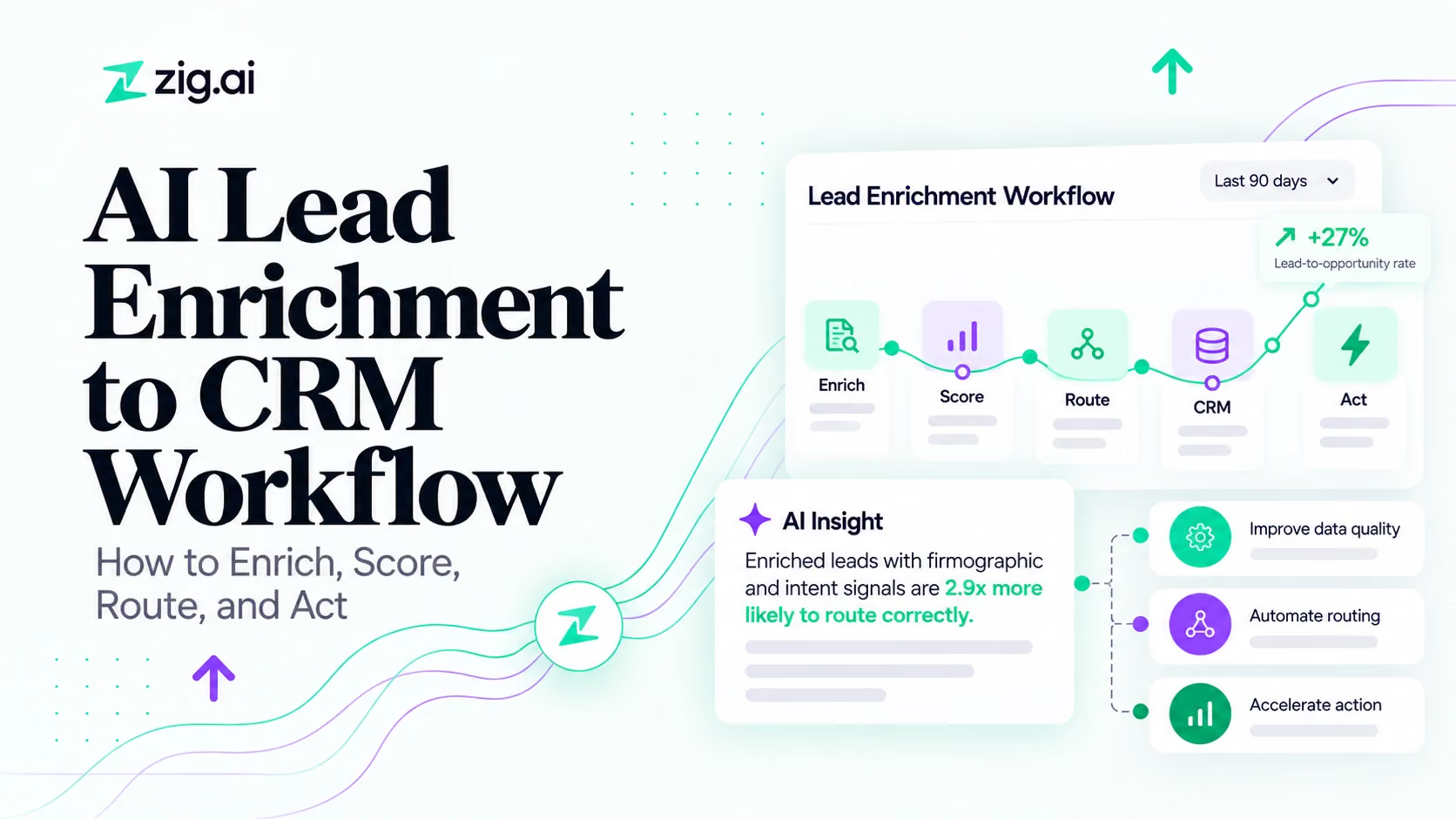
Capture → Resolve → Enrich → Validate → Match → Score → Route → Write → Act → Refresh
What Is Lead Enrichment?
Lead enrichment is the process of adding useful person, company, and commercial context to an incomplete lead record using internal or external data sources. CRM data enrichment is broader. It can also correct, standardize, verify, or refresh information already stored in the CRM.
That difference becomes clearer when four related processes are separated.
Process | Purpose |
Enrichment | Add missing information |
Validation | Determine whether information appears reliable |
Normalization | Convert values into consistent CRM formats |
Identity resolution | Determine which person or company the record represents |
These functions often happen together, but they solve different problems. Adding an employee count does not prove the system matched the correct company, and normalizing an industry field does not prove the underlying classification is accurate.
A stronger CRM enrichment process preserves those distinctions instead of treating every new value as equally trustworthy.
For a broader look at how enrichment tools differ in coverage and workflow depth, see Zig's guide to evaluating lead enrichment tools.
Identity Resolution Comes Before Enrichment
Before a system adds data, it needs to establish who and which company it is enriching.
This is one of the most overlooked parts of B2B lead enrichment. If the initial identity match is wrong, every field added afterward can make the record more convincingly incorrect.
A person match may use signals such as business email, name, company, role, professional profile, phone number, and geography. Company resolution may rely on domain, normalized company name, email domain, website, corporate hierarchy, and location.
The system then needs to compare that identity with what already exists in the CRM.
Suppose a lead submits a form using "Acme" while the CRM contains "Acme Corporation." A simple string comparison may create a second account. A stronger workflow recognizes that the domain, location, and company identity point to the same business.
That lead-to-account matching prevents duplicate ownership, fragmented activity history, conflicting routing, and separate opportunity records for the same company.
Enrich the Fields That Support Real Decisions
More data is not automatically better data.
The first step in any enrichment project should be defining which decisions the additional information will support. If a field never influences scoring, routing, segmentation, personalization, or account strategy, it may not deserve a place in the real-time workflow.
Useful contact context can include job title, seniority, function, and verified business contact information. Company context may include employee range, industry, location, revenue band, domain, and company type.
Technographic data can help when product fit genuinely depends on a company's existing systems. Commercial context may include account ownership, customer status, existing opportunity, ICP tier, or engagement signals.
Industry data also benefits from normalization. The U.S. Census Bureau's NAICS framework provides a standardized classification system for business establishments, which can help teams avoid filling CRM records with inconsistent industry labels.
The principle is simple: enrich for a decision, not for decoration.
Data Provenance Makes Enrichment Usable
A filled CRM field is much more useful when RevOps can tell where it came from.
Consider these two records:
Employee count: 430
and:
Employee range: 201–500 | Source: Provider X | Updated: Sept. 20 | Confidence: High
The second gives the workflow context for deciding how much trust to place in the field.
Useful enrichment metadata can include:
- provider or source
- enrichment timestamp
- verification date
- confidence level
- whether the value was directly sourced or inferred
- whether a human changed the field afterward
This metadata does not have to clutter the rep's CRM view. It does need to exist somewhere in the system so scoring, routing, audits, and overwrite rules can use it.
Without provenance, two conflicting values become difficult to resolve. The system knows what the values are, but not which one deserves precedence.
Confidence Scores Need Operational Rules
An AI lead enrichment tool may return confidence information, but a confidence score only becomes useful when the workflow knows what to do with it.
For example:
Confidence Level | Possible Workflow Treatment |
High | Write automatically where policy permits |
Medium | Use cautiously for scoring or send for review |
Low | Preserve as research context without overwriting CRM |
Conflicting | Escalate or preserve both values until resolved |
These are practical examples, not universal industry thresholds.
Confidence can also describe different things. One score may represent confidence that the correct person was identified. Another may apply only to a specific field. A provider may use "verified" to mean something different from another vendor.
That is why a headline claim such as "95% accuracy" needs further examination.
Accuracy of what?
Identity resolution, contact information, company attributes, field coverage, freshness, and CRM write-back are separate dimensions.
How to Build an AI Lead Enrichment Workflow for CRM
The strongest workflow starts with the sales decision and works backward toward the data required to make it.
1. Define what enrichment needs to support
Start with the business logic.
Are you enriching for lead scoring, account matching, personalization, territory routing, segmentation, or qualification?
Those decisions determine which fields deserve priority.
A team routing enterprise demo requests may need company size, country, existing account ownership, and customer status immediately. It may not need twenty additional company attributes before the first response.
2. Audit the CRM before adding new data
Measure what already exists.
Look for missing values, duplicated companies, stale contacts, inconsistent field formats, conflicting records, and unclear account relationships.
Adding enrichment to an unhealthy CRM can amplify existing problems. A duplicate account enriched perfectly is still a duplicate.
3. Choose the enrichment trigger
Enrichment can begin when:
- a form is submitted
- a chat starts
- a CRM record is created
- a contact enters through an API
- an event lead is uploaded
- a batch refresh runs
- another revenue system sends a webhook
The trigger should reflect how quickly the resulting decision needs to happen.
4. Resolve the identity
Establish the person and company before adding more context.
If the match is ambiguous, the workflow should recognize the ambiguity rather than pretending it has certainty.
5. Add only the fields required for the next decision
Retrieve what scoring, routing, qualification, or follow-up genuinely needs.
This controls cost and keeps the workflow faster.
6. Normalize and validate values
Different sources may return "United States," "USA," or "US." Job levels, employee bands, industries, and company names can have similar inconsistencies.
Normalize them before downstream logic uses the values.
7. Match existing CRM entities
Check relevant Lead, Contact, Account, and Opportunity records before creating new objects.
This is where account matching, deduplication, and ownership logic become part of enrichment rather than separate cleanup tasks.
8. Apply overwrite rules
Newer does not always mean better.
Protect trusted existing data from lower-confidence enrichment.
9. Score and route the record
Use enriched fields as inputs, with appropriate confidence thresholds.
A weak company match should not silently produce a strong ICP score.
10. Trigger the next action
The destination might be:
- named account owner
- inbound rep
- round-robin queue
- AI agent
- nurture workflow
- manual review
- disqualification flow
11. Preserve provenance and measure the workflow
Track where values came from, how frequently enrichment fails, how long processing takes, and whether routed leads reach the intended next step.
Zig's guide to CRM automation around real sales activity provides additional context for moving structured sales information into CRM workflows without treating every automated value equally.
Overwrite Rules Protect Good CRM Data
One of the easiest ways to damage CRM quality is to let every enrichment run overwrite existing values.
Imagine that a rep spoke with a buyer yesterday and confirmed a promotion to VP of Operations. An external provider still lists the person as Director of Operations.
If a nightly enrichment job overwrites the rep-confirmed title, automation has made the record worse.
A sensible precedence policy may distinguish among:
- customer-confirmed or rep-confirmed information
- trusted first-party data
- recently verified enrichment
- unverified third-party data
- AI inference
The correct hierarchy can differ by field.
Useful protections include:
- locking human-verified values
- storing source and timestamp
- preventing blank values from replacing populated fields
- logging automated changes
- preserving conflicting data for review
- providing a correction workflow
This is part of data enrichment CRM best practices, not an implementation detail to deal with later.
Single-Source and Waterfall Lead Enrichment Solve Different Problems
A single provider is operationally simple. One API returns values, the cost model is easier to understand, and provenance is straightforward.
The weakness is coverage. No database performs equally well across every geography, industry, company size, and contact type.
Waterfall lead enrichment addresses that by querying multiple providers in sequence until the desired match is found or the configured path ends.
That can improve coverage, but it also introduces new complexity.
Approach | Strength | Limitation | Best Fit |
Manual research | High contextual judgment | Slow and inconsistent at scale | Strategic, low-volume accounts |
Single provider | Simple setup and cost model | Coverage gaps | Narrow or consistent ICP |
Waterfall enrichment | Broader coverage | More cost, latency, and provenance complexity | Diverse B2B markets |
AI-assisted research | Can interpret unstructured context | Needs evidence and governance | Hard-to-structure research |
Hybrid workflow | Combines structured data and AI context | Requires more orchestration | Complex revenue operations |
Waterfall enrichment also raises a difficult question: what happens when two providers disagree?
The answer should not simply be "take the newest result." Source quality, confidence, freshness, and existing CRM evidence all need consideration.
AI introduces another boundary. If reliable evidence for a company attribute does not exist, "unknown" is a better answer than a fabricated value.
Real-Time Enrichment and Batch Enrichment Serve Different Jobs
Real-time processing is useful when enrichment affects an immediate sales decision.
Examples include:
- demo requests
- contact-sales forms
- live chat
- inbound routing
- named-account ownership
- meeting preparation
Batch enrichment is better suited to database maintenance, such as updating old job titles, refreshing company attributes, preparing territory changes, or cleaning historic CRM records.
A mature CRM lead enrichment workflow often uses both.
Real-time enrichment helps decide what to do next. Batch enrichment keeps the underlying database usable over time.
Give the Workflow a Latency Budget
"Real time" sounds precise but is not.
Every enrichment workflow should define how much delay the business process can tolerate.
A high-intent demo request may need enough information for routing within seconds or minutes. A periodic company-size refresh can wait until overnight.
That difference can influence architecture.
If the system needs only country, account ownership, and employee band to route a lead, it may not make sense to query seven providers before beginning the response.
A better design can:
- retrieve the fields needed for immediate routing
- assign ownership
- begin the response process
- continue deeper enrichment asynchronously
This prevents enrichment depth from slowing down the action it was supposed to improve.
How Enrichment Feeds AI Lead Scoring
AI lead scoring becomes more useful when it receives reliable context, but enrichment should not be mistaken for the score itself.
Scoring inputs typically fall into several groups.
Fit signals
These describe whether the person or account resembles the customers the business wants.
Examples include:
- industry
- geography
- company size
- business model
- technology environment
- account tier
Intent and engagement signals
These describe what the lead has done.
Examples include:
- demo request
- pricing-page activity
- repeat visits
- content engagement
- direct conversation
Relationship signals
These describe what the company already knows.
Examples include:
- existing customer
- open opportunity
- known stakeholder
- assigned account owner
- previous sales activity
Negative signals
These help identify situations that should not enter the standard sales workflow.
Examples include:
- unsupported geography
- student
- job seeker
- competitor
- duplicate inquiry
- existing account owned elsewhere
The critical rule is that confidence needs to travel with the field. A low-confidence identity match should not quietly become a high-confidence lead score.
Better Enrichment Creates Better Lead Routing
Lead routing software can only use the information available to it.
A basic routing workflow may rely on country and form selection. Enriched data can add account ownership, company size, industry, named-account status, customer status, segment, and other context before assignment.
That enables more precise routing logic.
For example:
- Existing account routes to the assigned account owner.
- Named enterprise account routes to the strategic team.
- Mid-market lead routes by territory and rep capacity.
- Existing customer inquiry routes away from net-new sales.
- Unmatched lead enters a fallback queue instead of being discarded.
The fifth rule is easy to overlook.
Every lead routing system needs a path for enrichment failure. If the system cannot resolve a company, the lead should still go somewhere appropriate.
Fallback options can include routing by declared form information, using round robin, triggering a second enrichment attempt, or sending the record for manual review.
Failed enrichment should reduce certainty, not stop the workflow.
The End-to-End Lead Enrichment to CRM Workflow
Once the pieces are combined, the process becomes much more than "find missing fields and push them into Salesforce."
Stage | System Job | Main Risk | Output |
Capture | Receive the lead | Minimal or unreliable input | Raw identity |
Resolve | Match person and company | False match | Resolved entity |
Enrich | Add useful context | Stale or incorrect data | Enriched record |
Validate | Assess reliability | False confidence | Approved fields |
Match | Locate existing CRM entities | Duplicate creation | Account relationship |
Score | Evaluate fit and intent | Low-quality inputs | Priority |
Route | Assign workflow or owner | Territory conflict | Ownership |
Write | Update CRM safely | Trusted data overwritten | Reliable record |
Act | Trigger follow-up or handoff | Delayed response | Seller or agent action |
Refresh | Recheck decaying information | Stale data | Maintained record |
The table also shows why enrichment itself should not become the final KPI.
If an enrichment project raises field completion from 60% to 95% but routing errors increase, the workflow did not improve.
The better objective is decision-ready data delivered at the moment the next sales action needs it.
Teams can see how Zig connects research, CRM context, follow-up, and pipeline execution rather than stopping after the record is enriched.
Where Zig Fits After Enrichment
Standalone enrichment tools are designed primarily to answer:
What additional information can we find about this person or company?
Zig becomes more relevant when the business also needs to answer:
What should happen now that we know it?
That distinction moves the workflow from enrichment into execution.
An inbound lead may need to be identified, matched, qualified, routed, written into CRM, and moved into the appropriate follow-up path. The enriched fields support those decisions, but the fields themselves do not complete the work.
Zig connects enrichment with broader sales workflows around Research, Outreach, CRM Sync, Follow-Up, Meetings, and Pipeline. Its lead enrichment guide also frames enrichment around accuracy, coverage, CRM write-back, and the downstream action the data enables.
This is a stronger fit for teams whose real bottleneck sits between data acquisition and sales execution.
CRM Enrichment Should Continue After the First Touch
A CRM record begins decaying almost immediately.
People change companies. Titles change. Employee counts shift. Technology stacks evolve. Territories are redesigned. Account ownership changes.
That means automated lead enrichment is not only an acquisition workflow. It is also part of CRM maintenance.
Different fields deserve different refresh schedules. Job title and employer can change frequently. Headquarters country and founding year usually change far less often.
The refresh cadence should follow the business value and expected decay rate of the field.
Zig's guide to pipeline hygiene and CRM data decay explores the operational consequences of records that stop reflecting commercial reality.
A CRM full of enrichment is still unreliable if nobody knows which data became stale six months ago.
How to Evaluate AI Lead Enrichment Tools
Searching for the best B2B data enrichment tools for CRM accuracy can easily turn into a list of vendor names. A buyer gets more value from knowing how to test the tools.
The strongest evaluation should include the buyer's own ICP and CRM conditions.
Criterion | What to Measure | Better Vendor Question |
Identity match | Correct person/company resolution | How do you verify the entity before enrichment? |
Coverage | Required fields populated for the ICP | What share of our representative dataset can you match? |
Freshness | Age of returned information | Can we see when each field was updated? |
Provenance | Source traceability | Can we identify where each field originated? |
Confidence | Reliability metadata | Is confidence available at identity or field level? |
CRM depth | Object and field support | Which CRM records can you read and update? |
Conflict handling | Existing versus new values | What happens when your data disagrees with ours? |
Latency | Time to decision-ready record | How long does an urgent inbound workflow take? |
Actionability | Downstream workflow support | What happens after enrichment finishes? |
Economics | Cost at expected volume | How do retries and waterfall calls affect cost? |
A useful test dataset should include straightforward and difficult records. Include personal emails, recently changed roles, subsidiaries, abbreviated company names, international companies, duplicates, and known CRM conflicts.
A vendor that performs well on clean demo data may behave very differently against the records RevOps deals with every day.
A Lead Enrichment API Needs More Than an Endpoint
A lead enrichment API may look simple during technical review: send an identity, receive a set of fields.
Operating it reliably requires more.
Technical buyers should ask about:
- synchronous versus asynchronous processing
- API rate limits
- timeouts
- retry behavior
- webhook support
- batch endpoints
- field-level confidence
- source metadata
- freshness
- error codes
- duplicate handling
- idempotency
- sandbox environments
- deletion workflows
Suppose an API request times out after the provider successfully processed it. If the calling system retries without idempotency, the same record or downstream action may be created twice.
These details rarely appear in a marketing feature list, but they determine how safely the integration behaves at scale.
Larger organizations evaluating more complex CRM architecture can review Zig's enterprise approach.
Privacy and Security Belong in the Enrichment Architecture
Enrichment increases the amount of information an organization collects and stores, which also increases the amount of information it needs to govern.
The FTC's data security guidance for businesses recommends understanding what personal information a business holds, keeping only what is needed, protecting stored information, and disposing of unnecessary data appropriately.
California's CCPA guidance also outlines consumer rights involving personal information, including access, correction, and deletion rights in covered circumstances.
That makes several vendor questions relevant before connecting enrichment to production CRM data:
- Where does the data originate?
- How long is it retained?
- Can records be deleted or corrected?
- Which subprocessors receive it?
- Who can access enriched information?
- Is data used for AI model training?
- Can the system honor suppression or deletion requirements?
- What security documentation is available?
The NIST AI Risk Management Framework also provides a useful broader reference when AI is used to interpret or act on enriched information.
Teams evaluating Zig can review its security and compliance documentation as part of procurement.
Automated Follow-Up Still Needs Email Compliance
When sales lead enrichment feeds automated outreach, the enrichment system and email system cannot be treated as completely separate compliance environments.
The FTC CAN-SPAM compliance guide explains requirements for commercial email, including business-to-business messages.
An automated follow-up workflow therefore needs controls for accurate sender information, appropriate subject lines, required business information, opt-out handling, and suppression after an opt-out.
Enrichment can tell the system who the lead is. It does not remove the organization's responsibility for what happens next.
How to Measure Whether Lead Enrichment Is Working
The easiest enrichment metrics to collect are often the least useful.
"Fields enriched" and "records processed" show activity. They say little about whether the workflow improved sales execution.
A stronger measurement framework separates data quality, workflow performance, and downstream sales results.
Data-quality metrics
Track:
- identity match rate
- required-field fill rate
- duplicate rate
- critical error rate
- field freshness
- confidence distribution
- overwrite correction rate
Workflow metrics
Track:
- enrichment latency
- routing latency
- CRM write success
- percentage of leads routed automatically
- manual-review rate
- failed enrichment rate
- fallback-queue rate
- manual research time
Sales metrics
Track:
- response time
- qualified lead rate
- lead-to-meeting conversion
- meeting-to-opportunity conversion
- routing acceptance
- pipeline generated by segment
Attribution still requires discipline.
If meeting conversion improves after the enrichment workflow launches, other factors may also have changed. Lead source, messaging, rep capacity, campaign mix, and routing rules can all influence the result.
The closer the metric sits to the workflow itself, the easier it is to identify direct impact.
A Better CRM Record Is the Start of the Workflow
A CRM does not create value because a blank employee-count field becomes populated.
The value appears when that field is reliable enough to improve qualification, routing, account ownership, or personalization.
That is why the best AI-powered lead enrichment workflow does not maximize the volume of data entering the CRM. It maximizes the amount of trustworthy context available when the revenue system needs to make its next decision.
The process should resolve identity before enrichment, preserve provenance, protect verified data, treat uncertainty explicitly, route through clear fallback paths, and keep processing fast enough for the use case.
Zig belongs at the execution end of that chain. It is most relevant when the team already knows that richer data alone will not fix the operational gap between a lead entering the system and the next sales action happening.
If inbound leads still move through manual research, qualification, CRM updates, and follow-up before someone can act, book a meeting with Zig to map where that work can be reduced.
Frequently Asked Questions About AI Lead Enrichment and CRM Workflows
What is lead enrichment?
Lead enrichment adds useful person, company, or commercial context to an incomplete lead using internal or external data sources. Reliable enrichment should also preserve information about source, freshness, and confidence when those details influence downstream decisions.
What is CRM data enrichment?
CRM data enrichment adds, corrects, standardizes, or refreshes information stored in CRM records. Depending on the system architecture, this may affect leads, contacts, accounts, opportunities, or other sales objects.
What is waterfall lead enrichment?
Waterfall lead enrichment queries multiple data providers in sequence until a requested value is found or the configured workflow ends. It can improve coverage, but it also increases complexity around cost, latency, conflicting values, and provenance.
Should enrichment overwrite existing CRM data?
Not automatically. Rep-confirmed, customer-confirmed, and trusted first-party data may deserve higher precedence than lower-confidence external enrichment. Overwrite policies should be defined by field and should preserve source information for automated changes.
What happens when lead enrichment finds no match?
A reliable workflow should return an explicit no-match or low-confidence result rather than fabricating an attribute. The lead can then use form data, another provider, a fallback routing queue, or manual review.
How does enriched data improve lead routing?
Enriched data can add account ownership, company size, industry, customer status, territory, and segment context before assignment. That allows routing logic to use more than the limited information a buyer enters on a form.
How does Zig use lead enrichment?
Zig connects lead context with broader sales execution, including qualification, routing, CRM workflows, and follow-up. That makes it relevant when enrichment needs to influence the next action rather than only populate a CRM field.
How often should CRM data be enriched?
Refresh frequency should depend on how quickly the individual field changes and how heavily the business relies on it. Job titles and employers may need a different cadence from slower-changing information such as broad industry classification.
How much does lead enrichment cost?
Lead enrichment pricing can depend on credits, records, API calls, providers, waterfall steps, or broader platform usage. Teams should calculate total workflow cost, including failed matches, retries, implementation, and manual research that remains after enrichment.
