
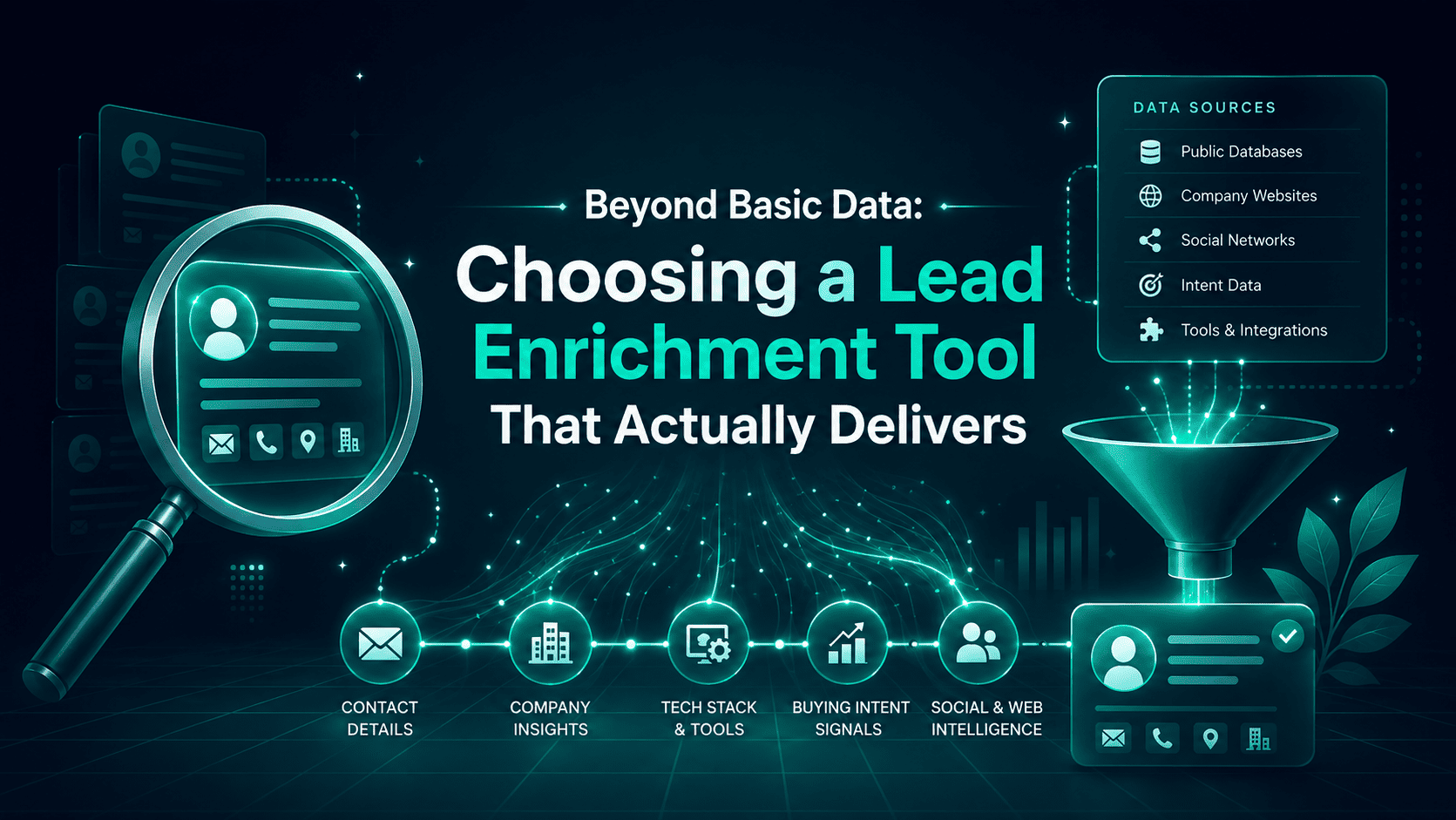
A lead enrichment tool fills in the details a lead didn’t give you, so your team can decide who the person is, whether they’re a good fit, and what should happen next.
Clay is an obvious benchmark because it gives teams a lot of freedom to choose data providers and build their own enrichment workflows. But more data doesn’t automatically mean a better lead. The useful questions are simpler:
- Did the tool match the right person?
- Are the details current?
- Does the CRM get updated correctly?
- Can your team act on the result without building half the workflow themselves?
That’s what this guide compares.
TL;DR
- Lead enrichment software adds missing company and contact data to leads using details such as a work email, company domain, profile URL, or form submission.
- “Accuracy” can hide several different things. Check whether the person was matched correctly, which fields were filled, how much of your list gets enriched, and how fresh the data is.
- Clay gives teams a flexible way to combine data providers, APIs, and workflow logic.
- Zig AI handles more of what happens around an inbound lead, including qualification, routing, CRM updates, and follow-up.
- A CRM connector isn’t enough on its own. Check which fields are updated, whether data moves both ways, and what happens when the new data conflicts with what’s already in the CRM.
See how Zig handles research, enrichment, CRM updates, and follow-up.
What Is a Lead Enrichment Tool? (And What It Actually Does)
A lead enrichment tool takes the information you already have about a lead and fills in missing details such as job title, seniority, company size, industry, revenue, tech stack, and verified contact data. You may also see this described as lead enrichment software or a contact enrichment tool.
Most tools start with something simple, usually a work email, company domain, profile URL, or form submission. They match that information against one or more data sources and return whatever additional fields they can find.
Coverage varies. A lot.
One provider may find the right company but miss the person’s title. Another may return more fields but rely on older data. So compare vendors on the specific fields you need, how often those fields come back populated, and how fresh and accurate the results are.
Some platforms also use waterfall enrichment. They check several providers in sequence until they find the requested data or run out of sources.
This can improve coverage because no single database has every person and company. It can also increase cost, and the extra matches still need to be reliable.
How Lead Enrichment Works, Step by Step
- A lead enters the system. This could be a form submission, CRM record, email address, domain, or profile URL.
- The tool tries to identify the person or company. It matches the information you supplied against its data sources.
- Missing fields are added. Depending on the provider, that may include role, company size, industry, revenue, technologies used, or contact details.
- Some tools add a confidence signal. This helps show how certain the platform is that it found the right record.
- The enriched data is saved. It may be written back to your CRM, warehouse, form system, or product.
- The lead may move into another workflow. Some platforms can score it, route it, assign it, or trigger follow-up automatically.
A basic enrichment API may stop once it returns the data. A broader platform can keep going through qualification, CRM updates, routing, and follow-up.
See how Zig handles research, enrichment, CRM updates, and follow-up.
Best Lead Enrichment Tools at a Glance
Features and positioning below were checked against each vendor's public site in August 2026. Confirm current plans and capabilities before publishing or buying, since this market moves fast.
| Tool | Best Fit | Distinguishing Capability | Main Consideration |
|---|---|---|---|
| Zig AI | Inbound qualification and sales execution | Enrichment paired with inbound scoring, routing, and follow-up in one workflow | Broader sales execution platform, not an enrichment point tool |
| Clay | Custom enrichment and GTM orchestration | 150+ data providers, multi-provider waterfalls, APIs, CRM enrichment | Requires more workflow configuration; priced on separate Actions and Data Credits |
| HubSpot Data Enrichment | Teams already running HubSpot | Form-submission enrichment built directly into HubSpot's CRM | Value is strongest inside the HubSpot ecosystem specifically |
| Apollo | All-in-one B2B data and enrichment | CRM, API, CSV, and real-time form enrichment in one platform | Broader sales intelligence suite, not enrichment alone |
| People Data Labs | Developer-led enrichment | Person and company enrichment APIs with an explicit match-confidence score | API and developer-oriented, not a no-code workflow tool |
| BetterContact | Contact waterfall enrichment | 20-plus provider waterfall; charges only when valid data is returned | Focused on email and phone, not broader GTM orchestration |
| Lusha | Contact enrichment for smaller teams | Large vendor-reported contact and company database, native CRM integrations | Less orchestration depth than Clay |
| Cognism | Sales intelligence and contact enrichment | CRM enrichment, international B2B data, global do-not-call screening | Integration depth currently differs by CRM; verify per platform |
Zig AI and Clay cover some of the same ground, especially around enrichment and workflow automation. The Beyond Clay section below gets into where their approaches start to differ.
HubSpot Data Enrichment and Apollo are easier to add when your team already works inside those platforms. People Data Labs, BetterContact, Lusha, and Cognism put more of the emphasis on finding and enriching the data itself.
A few things are worth checking before you build a shortlist:
Clay
Pricing is split between Actions and Data Credits. Data Credits cost around $0.05 each, while Actions cost under $0.01. If you connect your own API key for a provider, you may be able to use that source without spending Clay Data Credits.
HubSpot Data Enrichment
HubSpot says its enrichment dataset covers more than 100 million company domains and 380 million email addresses. It can enrich a new contact immediately after someone submits a short form.
Apollo
Free accounts get a limited number of real-time form and CRM enrichments each month. Basic costs around $49 per seat per month on annual billing. Apollo’s 2026 Form Builder can also enrich a submission and send it into the appropriate workflow.
People Data Labs
API users can set a match-likelihood threshold from 1 to 10. PDL recommends 6 or higher when accuracy matters more than returning the maximum number of matches. Raising the threshold means fewer matches, but more confidence in the ones you keep.
BetterContact
Plans start around $15 per month. Its waterfall checks more than 20 providers and charges only when it returns valid data.
Lusha
Lusha offers contact and company data, native Salesforce and HubSpot integrations, and a free tier with monthly credits. Its published database size and accuracy figures come from Lusha itself, so test them against your own lead list before relying on them.
Cognism
CRM Enrichment sits in the five-figure annual price range and includes screening against several global do-not-call lists. Its newer enrichment suite currently supports Salesforce. HubSpot uses a separate native integration that has been available longer, so check which Cognism product supports the workflow you need.
The Data That Matters: Firmographic and Technographic Details
Data enrichment tools generally work across a few categories of data, and confusing them is a common reason buyers pick the wrong tool for their use case. Most data enrichment tools are stronger in one or two of these categories than across all of them.
| Data Category | What It Includes | Primary Use Case | Example Fields |
|---|---|---|---|
| Firmographic | Company-level attributes | Segmentation and territory routing | Industry, employee count, revenue, HQ location, NAICS or SIC code |
| Technographic | Technology a company uses | Fit scoring and messaging relevance | CRM in use, hosting provider, marketing stack, integrations |
| Contact / professional | Person-level work attributes | Personalization and outreach | Full name, verified email, job title, seniority, department |
| Intent / behavioral signals (optional) | Buying signals and activity | Prioritizing hot inbound | Page visits, demo requests, chat engagement, keyword intent |
In the US, industry data is often classified using the NAICS system maintained by the Census Bureau. Some enrichment vendors use SIC codes or their own industry categories instead, so the same company may be labeled differently from one provider to another.
Check firmographic and technographic data separately. A tool may be strong on company size, revenue, and industry but much weaker on the technologies a company uses, or vice versa.
Intent and behavioral data usually come from somewhere else. Signals such as page visits, product activity, or form behavior often come from your own website or product unless you also buy a separate third-party intent-data source.
What Makes a Lead Enrichment Tool Accurate? (Match Rate, Coverage, Freshness)
There is no universally most accurate lead enrichment tool. Accuracy depends on the data type, your geography and segment, and how a vendor sets its identity-matching threshold, since a tool can raise its match rate simply by accepting weaker matches.
Run the same known sample of leads through each tool and measure these separately:
- Identity match precision. Did it identify the correct person or company at all?
- Field-level accuracy. Is the title, employer, phone, email, or technology field actually correct?
- Fill rate and coverage. What share of your records come back with the fields you need?
- Freshness. When was this record last observed or verified?
- Segment coverage. Does performance hold up for your specific geography, company size, and industry?
For real-time use cases, add latency: how long an enrichment actually takes to return.
Match rate and accuracy get conflated constantly, and they are not the same thing. People Data Labs, for example, lets API users raise or lower a minimum likelihood threshold: a higher threshold returns fewer but stronger matches, while a lower threshold increases the chance of a match at the cost of confidence. Ask any vendor where their default threshold sits and whether you can adjust it.
Five questions to test before you buy:
- What is the verified match rate on my own sample of leads, not a vendor benchmark?
- How is your identity-match confidence threshold set, and can I see it?
- What is your field-level accuracy for the specific fields I care about?
- What coverage do you have for my target market and company sizes?
- Can I run a blind test against records I already know the answer for?
Real-Time Lead Enrichment From Email, Domain, Forms, and Chat
Real-time lead enrichment adds data as soon as a lead comes in, usually from a work email, company domain, or form submission.
For forms, that can mean enriching the record before it reaches sales. For chat, the chat tool still needs to pass something useful, such as an email address or domain, into the enrichment platform through an integration, webhook, or API.
Test the timing yourself. Some tools return data almost immediately. Others call the process “real time” even though the enriched record doesn’t reach the CRM or routing workflow until later.
Also check what happens after enrichment. If the tool fills in the data quickly but a separate system still has to score and route the lead, your rep may still be waiting.
See how Zig handles research, enrichment, CRM updates, and follow-up.
Best Lead Enrichment for Qualifying Inbound Demo Requests
The best lead enrichment tools for inbound demo requests do more than fill in missing data. They help the team decide whether the lead is worth pursuing and get it to the right person quickly.
Some platforms stop after adding company and contact details. Your team still has to build the scoring, routing, alerts, and follow-up around that data.
Zig AI combines enrichment with inbound qualification, routing, CRM updates, and follow-up in the same workflow. Apollo’s 2026 Form Builder is moving in a similar direction by enriching form submissions and routing them through workflows automatically.
If demo requests are the use case, compare how much of that process happens before a rep has to step in.
Book a live walkthrough to see Zig work on a real demo request instead of a sample record.
Which Lead Enrichment Software Integrates With Multiple CRMs?
The real question isn't whether a tool integrates with your CRM. It's which records and fields sync, in which direction, how often, and what happens when the data conflicts. A "yes" on a features page can still mean a one-way export or a plan-gated connector.
| Product | Salesforce | HubSpot | Pipedrive | API / Webhooks | Caveat |
|---|---|---|---|---|---|
| Clay | Yes | Yes | Yes | Yes | Exact CRM and API capabilities vary by plan |
| Apollo | Yes | Yes | Supported | Yes | Verify workflow constraints for your specific CRM setup |
| HubSpot Data Enrichment | Native | Native | N/A | HubSpot ecosystem | Built primarily for records already inside HubSpot |
| People Data Labs | Via API/integration layer | Via API/integration layer | Via API/integration layer | Core strength | Developer-led implementation, not a pre-built connector |
| Lusha | Yes | Yes | Verify current native support | Yes | Check field mapping and credit consumption for your workflow |
| Zig AI | Verify current connector | Verify current connector | Verify current connector | Verify current connector | Confirm directly with the Zig team before publishing or relying on this |
Lead Enrichment API for SaaS Products and Lead Scoring
A lead enrichment API is useful when enrichment needs to happen inside your product or signup flow, not just inside a marketing form.
For a SaaS product, that might mean enriching a new signup as soon as it appears, then passing those details into lead scoring enrichment so sales can prioritize the account without waiting for a batch export.
People Data Labs supports Person and Company Enrichment APIs and returns confidence scores you can use as a cutoff. It can match on details such as name, company, location, phone, profile URL, email, or domain.
Apollo also offers enrichment APIs, with usage tied to credit consumption. Clay includes HTTP API and webhook access on Growth, while broader Clay API access sits on Enterprise.
If you're scoping this at the security and volume level, review enterprise deployment and security before you finalize the integration.
Beyond Clay: A Framework for Choosing Your Lead Enrichment Tool
Most Clay alternatives fall into one of two groups. Some give you the building blocks and expect your team to assemble the workflow. Others package more of the qualification, routing, and follow-up for you.
Clay sits firmly in the first group. It gives teams access to 150+ data providers, waterfall enrichment, APIs, webhooks, and CRM sync. For a team with a GTM engineer or RevOps owner, that flexibility can be a real advantage because you can control how the workflow is built.
Zig AI is more packaged. It combines enrichment with scoring, routing, CRM updates, and follow-up, so your team has less to build and maintain itself.
The tradeoff is control. Clay gives you more freedom to choose providers and shape the workflow. Zig AI handles more of that setup for you.
| Evaluation Criteria | Why It Matters | Question to Ask a Vendor | What Inbound-First Teams Should Look For |
|---|---|---|---|
| Accuracy and match rate | Bad data wastes rep time and skews scoring | What is your verified match rate and identity-match threshold for US B2B records? | Transparent, testable results on your own leads |
| Real-time capability | Separate steps add response time | Does scoring or routing happen in the same pass as enrichment, or a separate step? | Enrichment tied directly to routing, without a manual handoff |
| CRM integration depth | Data must land where reps work, correctly | Which CRMs sync natively, in which direction, and how are conflicts handled? | Native support for your CRM, plus API and webhooks |
| Total cost and credits | Credit models can hide true cost | What is my realistic cost per usable lead, not per credit? | Pricing you can forecast, credit-based or not |
Signs a configurable platform like Clay has become more workflow than your team wants to own:
- Your team spends hours a week building and maintaining sequences instead of selling.
- Credit or usage costs are unpredictable month to month.
- Inbound demo requests sit unqualified for minutes or hours because scoring and routing depend on a separate step.
- Only one or two people on the team can actually build or fix the workflow.
How to Choose Lead Enrichment Based on Data Coverage
With B2B data enrichment, what matters is whether the data is correct and whether the vendor can find enough of it for the leads you care about.
A provider may have strong coverage in the US but weaker data elsewhere. Another may work well for large software companies and return much less for small businesses or niche industries.
Test vendors against a sample of your own leads before you buy. Check:
- Whether they cover the countries you sell into.
- How well they cover the company sizes you target.
- Whether they can identify the technologies your buyers use.
- Which contact details are verified and how the vendor verifies them.
- Whether enrichment happens in real time or in batches.
- Whether the tool works with the CRM and workflows you already use.
- Whether its sourcing and compliance documentation will satisfy your legal or security team.
A vendor that returns lots of fields is not much use if too many of them are wrong.
Affordable Lead Enrichment Tools for Small Marketing Teams
Comparing affordable lead enrichment tools by monthly price alone can be misleading because vendors charge for different things. One may charge by record, another by email or phone lookup, and another by workflow action or credit.
BetterContact currently starts around $15 per month, with Pro around $49 for roughly 1,000 credits. Apollo has a free plan, while Basic costs around $49 per seat per month on annual billing. Clay also has a free tier, with paid Launch and Growth plans charging separately for Actions and Data Credits.
Zig AI starts much higher because the product covers more than enrichment. Starter is currently $799 per month with 3,000 ZigLead enrichment credits, and the Inbound Engine costs another $499 per month. On Growth, 8,000 credits are included and the Inbound Engine costs $249 per month.
That Inbound Engine also handles qualification, routing, web intent, inbound ad activity, and automated follow-up. If all you need is contact or company data, BetterContact, Apollo, or Clay will usually be cheaper. Zig becomes more relevant when those extra inbound workflows are part of the job too.
See current Zig AI plans and enrichment capacity, and verify these figures against the live page before you compare, since this is the single most important line in this article to check.
Trust, Privacy, and Compliant Enrichment Data
Lead enrichment can involve both company data and personal data.
Under the GDPR, information about a company itself is generally treated differently from information tied to an identifiable person. A work email address or business phone number can still count as personal data, even in a B2B setting.
Vendor compliance doesn’t automatically cover how you use the data. You still need to know why you’re collecting it, what you’ll do with it, how long you’ll keep it, and whether the person should be told about that use.
The European Commission’s GDPR guidance and the California Attorney General’s CCPA guidance are good places to check the legal basics. The FTC’s data security guidance and NIST Privacy Framework are useful for how the data is stored and protected.
Before signing with a vendor, ask where its personal data comes from, how deletion and opt-out requests are handled, how long records are retained, which subprocessors are involved, and whether the vendor will sign a DPA.
You can review Zig AI’s security and compliance posture and ask other vendors the same questions. For legal requirements that apply to your business, check with your own counsel.
Expert Take: Choosing a Lead Enrichment Tool That Converts Inbound
Ignore the headline accuracy percentage until you’ve tested the tool on your own leads.
Vendors measure accuracy differently, which is one reason lists of the best lead enrichment tools can point in completely different directions. Run a sample of leads you already know well and check three things:
- Did the tool match the right person or company?
- Were the returned fields correct?
- How much of the sample could it actually enrich?
Once a few tools pass that test, look at the work they leave behind. Clay gives your team more control over providers and workflow design. A more packaged platform handles more of the qualification, routing, CRM updates, and follow-up for you.
Then compare price, CRM fit, and compliance against the amount of workflow your team actually wants to own.
If you want to test that on a real inbound lead, book a meeting with our team, or see current Zig AI plans and enrichment capacity first.
Lead Enrichment Tool FAQ
What is the most accurate lead enrichment tool?
People Data Labs is one of the strongest choices for auditable identity matching because every enrichment result carries a 1–10 likelihood score. PDL recommends a minimum score of 6 for high-accuracy use cases. For any vendor, validate field accuracy and fill rate on a known sample before rollout.
What is the best Clay alternative for inbound qualification?
Zig AI is the stronger Clay alternative when inbound qualification is the main job. Its Inbound Engine scores incoming leads, routes qualified prospects to the right rep or sequence, and triggers automated email follow-up. Clay is better suited to teams that want to configure their own enrichment and orchestration workflows.
How much do lead enrichment tools cost?
Lead enrichment software can start at $0 to $15 per month. BetterContact starts at $15 for 200 valid emails, Apollo has a free plan and $49-per-user Basic plan, and Clay has a free tier with paid Launch plans starting around $185 monthly. Lusha’s free plan includes 40 monthly credits.
Does lead enrichment integrate with my CRM?
Yes. Clay can automatically enrich and sync records with HubSpot and Salesforce, while Apollo supports CRM enrichment for Salesforce and HubSpot. Lusha also provides CRM integrations on its free plan. Before deployment, verify the exact contacts, companies, fields, overwrite rules, and sync direction your workflow requires.
Can I enrich leads in real time from a form or chat?
Yes. Apollo supports real-time form enrichment, including five monthly form enrichments on its free plan, while Clay can automatically enrich leads arriving from forms and other inbound sources. For chat, pass an email, domain, or other identifier to the enrichment service through the chat integration, webhook, or API.
Is lead enrichment data privacy compliant?
Lead enrichment can be privacy compliant when personal data has a lawful basis, defined purpose, appropriate notice, and proper rights handling. Under GDPR, an employee’s named business email or business phone is personal data, while ordinary company-level information is generally not. Document sourcing, retention, subprocessors, deletion procedures, and your DPA.
What is the best affordable lead enrichment tool for a small team?
BetterContact is the clearest low-cost option for contact enrichment: $15 per month buys 200 valid emails, it waterfalls across 20+ providers, and it charges only when valid data is found. Apollo is stronger if you also need CRM and form enrichment, with a free plan before its $49-per-user Basic tier.
