
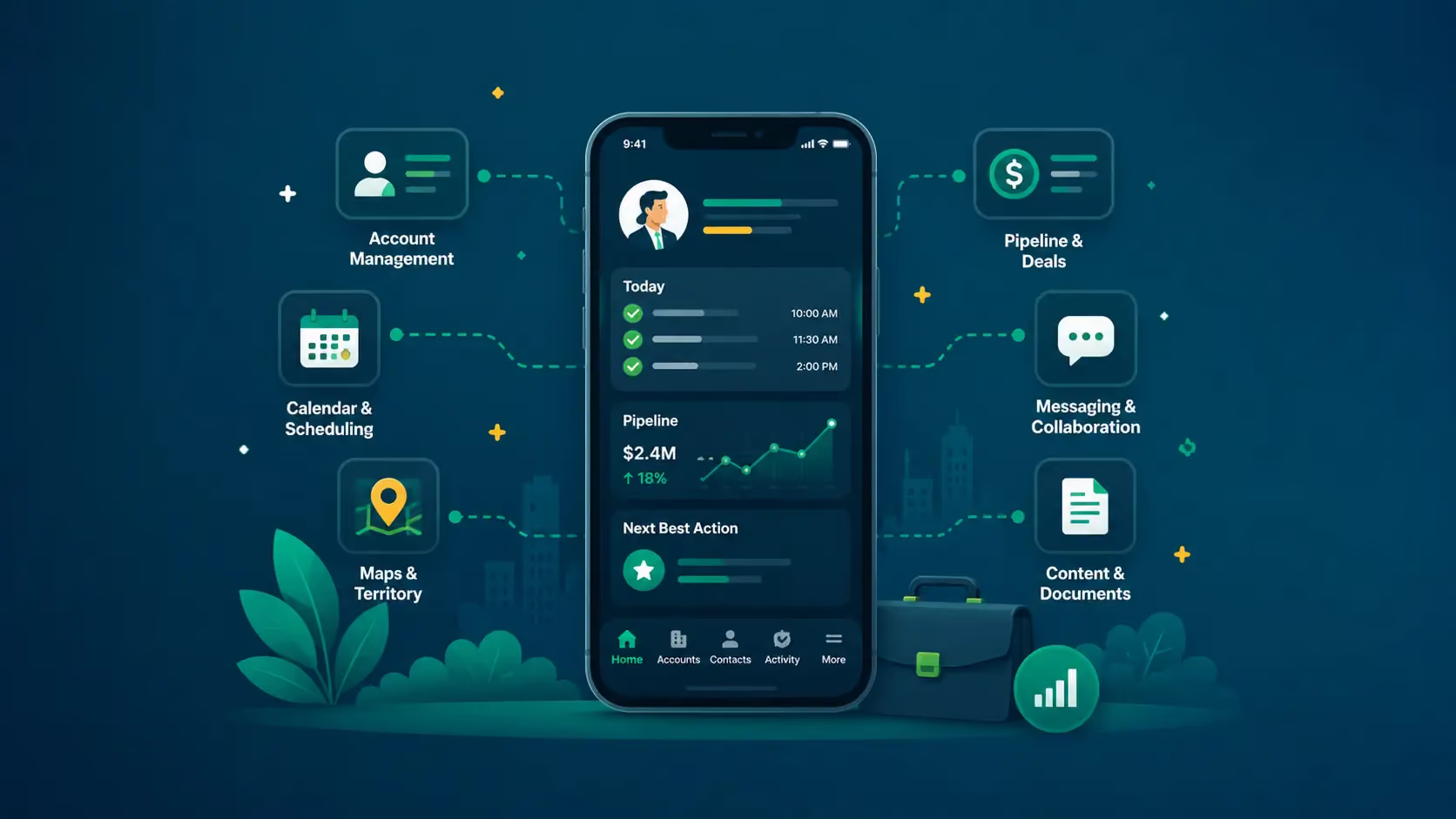
The best mobile sales app for B2B reps depends on what reps need to do from their phone. Zig is the strongest mobile-first sales execution platform.
Salesforce, HubSpot, Pipedrive, Freshsales, and Zoho remain the default mobile CRM apps for record access and pipeline visibility. Badger Maps handles field sales routing, Close covers inside sales communication, Apollo serves outbound prospecting, and Fireflies handles mobile meeting AI for call notes and CRM logging.
The category of mobile sales apps was originally built to give the rep enough access to the CRM that they could log a call from their phone. That problem has been solved for a decade. Every major CRM has a mobile app.
The 2026 problem is something else entirely.
Reps need the work that the CRM represents to get done while they're away from the laptop. That gap is the most useful way to think about the category when you're shopping.
This article covers the realistic shortlist for B2B reps in 2026, grouped by what each tool does .
Key Takeaways
- If reps need AI to do the work, not just display the CRM: Zig. Commands from mobile, voice, text, Slack, email, and phone for meeting prep, CRM updates, follow-ups, and pipeline actions.
- If the main need is mobile CRM access: Salesforce, HubSpot, Pipedrive, Freshsales, or Zoho are always the right answer. They're free with the CRM and they do the basic job.
- If your reps drive between accounts: Badger Maps for route optimization and territory planning.
- If your team is inside sales running calls, email, and SMS all day: Close.
- If SDRs are doing outbound prospecting from anywhere: Apollo.
- If the gap is post-call notes and CRM logging: Fireflies.
Best Mobile Sales Apps in 2026 at a Glance
|
Tool |
Best for |
Mobile strength |
Limitation to mention |
|
Zig |
Mobile-first AI sales execution |
Commands from mobile, voice, text, Slack, email, and phone for prep, follow-up, and CRM updates |
Best fit for teams ready to automate real sales work |
|
Salesforce |
Enterprise CRM teams |
Mature mobile app, deep customization, Agentforce/Einstein AI accessible on mobile |
Heavy for teams that want lighter mobile execution |
|
HubSpot |
SMB and mid-market CRM teams |
Cleanest mobile UI in the category, fast contact and deal access |
CRM-centered rather than execution-first |
|
Pipedrive |
Visual pipeline tracking |
Best mobile pipeline view, simple drag-and-drop, native Slack and Gmail |
Lighter on AI-assisted execution |
|
Freshsales |
AI-assisted CRM and communication |
Built-in mobile telephony, Freddy AI lead scoring, generative email drafting |
Smaller integration ecosystem |
|
Zoho CRM |
Budget-conscious teams |
Broad feature set per dollar, integration with the Zoho suite |
Setup required to feel rep-friendly on mobile |
|
Badger Maps |
Field sales route planning |
Route optimization, territory management, in-field lead suggestions |
Routing tool, not full sales execution |
|
Close |
Inside sales communication |
Calling, email, SMS, and rep communication workflows from one mobile app |
Built for inside sales, not field workflows |
|
Fireflies |
Call notes and CRM logging |
Mobile meeting transcription, summaries, and CRM logging |
Meeting assistant, not full mobile execution |
|
Apollo |
Prospecting and outbound |
Mobile-friendly contact lookup, sequence access, in-meeting research |
Top-of-funnel focused |
Zig: Best Mobile-First Sales App for B2B Reps
Most mobile sales apps focus entirely on giving reps a smaller screen to view data. Zig completely changes this approach by functioning like a fully autonomous sales execution team in your pocket.
Instead of acting as a passive database that forces reps to tap through menus on the road, Zig treats everyday communication channels as a live command surface. It doesn't replace your CRM. Instead, it integrates with your existing platform to handle the operational labor that typically bogs down field teams.
The Main Advantage: Frictionless, Multi-Channel Workflow Automation
The differentiator is its ability to turn unstructured communication into immediate background execution. A traditional mobile app requires a representative to log in, locate the account, type out updates, and draft follow-ups manually.
Zig reverses this workflow. A sales representative can dictate a quick 30-second voice memo while walking to their car after a meeting. The platform automatically processes that audio or text message across its integrations to execute multiple complex tasks simultaneously:
- Updates relevant CRM fields, tracking criteria like deal stages, close dates, and customized MEDDPICC summaries.
- Surfaces historical data from similar closed-won accounts to provide immediate context for the next call.
- Drafts targeted follow-up emails written in the representative's natural professional voice.
- Rotates the updated pipeline status into clear, immediate visibility for sales management.
Because it accepts commands seamlessly via voice, Slack, text, and email, field representatives can manage their entire administrative pipeline without ever unfolding a laptop or opening a standard CRM menu.
The Disadvantages
- Requires Complete Trust in Automation: Because Zig operates autonomously in the background, your team must fully trust its context-parsing accuracy. While it cuts down manual busywork, representatives still need to build a habit of reviewing drafted emails and automated fields to catch subtle conversational nuances before hitting approve.
- Dependent on an Existing CRM Foundation: Zig is purely an execution layer. It cannot serve as a standalone customer database. If your organization doesn't already maintain an underlying CRM infrastructure to house the data, Zig has nowhere to write its updates, meaning it cannot function as a total tech stack replacement.
Pricing Reality
Zig abandons traditional per-seat licensing in favor of predictable, outcome-based billing structured around your active operational footprint.
- The Setup: Instead of paying for every account executive, manager, or ops analyst who logs into the system, pricing scales directly with your usage volume and integration complexity.
- The Benefit: This framework completely eliminates license bloat during hiring waves. You can give your entire revenue organization unlimited access to the platform without driving up your core software budget during monthly or quarterly reviews.
Best For
- B2B account executives who spend more than half their week away from a laptop.
- SDRs running outbound from mobile and Slack rather than from desktop sequencing tools.
- Field sales reps who meet customers in person and need CRM hygiene to happen automatically.
- Founder-led sales teams where the founder is also running ten other things.
- Mid-market sales orgs trying to reduce the tool count on every rep's phone.
- Teams already running Slack as their central workflow surface.
[See how Zig helps] reps prep, follow up, and update CRM from anywhere.
Salesforce: Best Mobile Sales App for Enterprise CRM Teams
The Salesforce mobile app serves as a highly capable portable mirror of your enterprise desktop instance. Rather than functioning as a separate mobile tool, it gives you full access to your entire data model directly from iOS and Android devices.
If your organization runs a well-administered Sales Cloud environment with optimized layouts, the app operates as a powerful tool. However, if your desktop workspace is already a cluttered mess of fields and objects, the mobile app simply inherits those exact same structural problems on a much smaller screen.
The Main Advantage: Total Customization and AI Data Access
Salesforce’s primary differentiator is its unmatched depth and platform scale. It avoids the feature gaps common in lighter apps by ensuring that every account, task, report, custom object, and dashboard layout remains fully reachable on the road.
The application transforms standard data retrieval into a highly customizable workspace:
- Tailored Quick Actions: Reps can instantly log calls, set tasks, and advance pipeline stages directly from the main view without drilling down into deep record menus.
- Agentforce AI Integration: Users can speak natural voice commands directly into the app to ask conversational questions about pipeline trends, query account notes, or trigger real-time AI summaries before walking into a meeting.
- Enterprise Branding and Ecosystem: Companies can use Mobile Publisher to deploy completely custom-branded apps built on Salesforce infrastructure, while utilizing thousands of specialized AppExchange add-ons.
Because the system is deeply customizable, an optimized configuration allows field sales teams to handle complex enterprise workflows without ever opening a laptop.
The Disadvantages
- Intensive Configuration Overhead: The software is rarely useful out of the box. If your operations team does not dedicate significant admin time to designing mobile-specific compact layouts and custom paths, reps will spend their day endlessly scrolling through irrelevant custom fields.
- Passive Architecture: It remains a system of record that logs data rather than an execution platform that manages it. The application still forces reps to manually navigate menus, type notes, and assemble their own follow-up emails, stopping short of automating the actual post-call workflows.
Pricing Reality
There is no separate fee for mobile access because the app is included with standard Sales Cloud subscriptions, which require annual contract commitments.
- Enterprise Edition: $175 per user monthly, offering advanced workflow rules and custom layouts.
- Unlimited Edition: $350 per user monthly, adding built-in forecasting models and premier developer tools.
- Agentforce 1 Sales: $550 per user monthly, bundling unmetered AI agents and predictive analytics.
Note: Expect initial configuration, technical implementation services, and AppExchange integrations to add 30% to 50% to your first-year software budget.
Best For
- Enterprise sales orgs (200+ reps) running Salesforce as the system of record already.
- Sales teams with dedicated Salesforce admins who can configure mobile page layouts and quick actions thoughtfully.
- Organizations using Agentforce or Einstein extensively on desktop who want the same AI capabilities accessible on mobile.
- Teams running custom objects, complex pipeline structures, or industry-specific extensions where mobile access to that custom data matters.
- Enterprises wanting Mobile Publisher for company-branded sales apps built on Salesforce infrastructure.
HubSpot: Best Mobile Sales App for SMB and Mid-Market CRM Teams
The HubSpot mobile app delivers the cleanest, most intuitive mobile CRM experience in its class. While Salesforce builds for total customization depth and Pipedrive focuses strictly on pipeline visualization, HubSpot structures its mobile layout around a representative's active daily routine.
It is designed for high-velocity adoption. Sales representatives can open the app, instantly identify which tasks require immediate attention, log their outcomes, and close the interface without fighting a cluttered layout. This makes it an ideal fit for growing mid-market operations that want an application that functions optimally right out of the box without the support of a dedicated internal CRM administrator.
The Main Advantage: Cross-Functional Context and High-Adoption Usability
HubSpot’s primary differentiator is its seamless bridge between sales activity and marketing data. The interface avoids the typical complexity traps of mobile databases by prioritizing high-frequency actions and formatting them into familiar, consumer-style smartphone interactions.
The application turns on-the-go data management into a streamlined workspace:
- Integrated Marketing Intelligence: Before walking into a meeting, a representative can instantly view whether a contact has opened recent marketing emails, clicked tracking links, downloaded resources, or viewed specific corporate pricing pages.
- Default Focus View: The application opens directly to a structured "Today" screen that surfaces overdue tasks, upcoming calendar events, and recently active deals so reps can plan their morning in seconds.
- Breeze AI Integration: Built-in AI tools allow reps to instantly draft contextual follow-up emails, dictate meeting notes with automated voice transcription, and run plain-English searches to summarize long account histories.
Because the interaction models rely on simple gestures like swiping to complete tasks and tapping to record calls, sales teams actually adopt the software instead of avoiding it.
The Disadvantages
- Intentionally Narrow Feature Set: To preserve its clean interface, the mobile application excludes a significant portion of HubSpot's advanced desktop utility. Reps cannot build complex reports, adjust deep automation workflows, or manage intricate data-cleansing operations from their phones, meaning it cannot serve as a complete desktop replacement.
- Escalating Cross-Hub Costs: While the standalone sales tools are priced straightforwardly, unlocking the cross-functional data that makes the mobile app truly powerful requires buying into additional HubSpot infrastructure. The moment your team scales into broader marketing or data management modules, your total platform cost increases dramatically.
Pricing Reality
HubSpot structures its Sales Hub licensing around individual user seats with transparent monthly rates, though professional tiers generally mandate annual commitments.
- Starter Edition: $20 per seat monthly, offering core pipeline tracking, simple automation, and basic email interaction alerts.
- Professional Edition: $100 per seat monthly, unlocking predictive forecasting frameworks, custom reporting tools, and team playbooks.
- Enterprise Edition: $150 per seat monthly, adding conversation intelligence, advanced territory management, and custom object configurations.
Note: For mid-market companies wanting full cross-functional visibility, shifting to a multi-hub package like the Professional Customer Platform bundle scales the base platform minimum to roughly $1,170 per month.
Best For
- SMB and mid-market sales teams (5-200 reps) without a dedicated CRM admin.
- Sales-and-marketing-aligned organizations where reps benefit from marketing-hub data on mobile.
- Teams replacing spreadsheets or basic CRMs that want a real mobile experience without configuration burden.
- AEs and SDRs who do most of their CRM work from mobile rather than desktop.
- Companies that want a free tier with usable mobile functionality before committing to a paid plan.
Pipedrive: Best Mobile Sales App for Visual Pipeline Tracking
Pipedrive mobile cuts out standard CRM clutter to focus entirely on visual deal management. While competitors treat your pipeline as just another tab, Pipedrive structures its entire mobile layout around it, making it an incredibly focused mobile app for sales reps who want to see their active deals at a glance.
The interface reflects a clear design philosophy: it is built from the ground up for smartphone screens rather than being a desktop product shrunken down for a phone. For representatives and managers who prioritize deal momentum over deep account documentation, it offers a remarkably fast, mobile-first sales tool that keeps deals moving forward.
The Main Advantage: Frictionless Kanban Mechanics and Native Messaging Sync
Pipedrive’s primary differentiator is its tactile, highly visual approach to deal tracking. The application translates your sales stages into an incredibly smooth mobile interface that eliminates multi-screen form fields.
The application optimizes on-the-go pipeline maintenance through specific design choices:
- One-Finger Stage Progression: Moving a deal from qualification to proposal delivery relies on large, responsive tap targets and swipe gestures that work flawlessly with a single thumb.
- Bi-Directional Communication Sync: Full two-way email integration connects directly with Gmail or Outlook, automatically logging mobile communication against the correct contact record without manual data entry.
- Deep Communication Integrations: Native connections with Slack and WhatsApp Business stream vital pipeline alerts and conversation histories directly into your everyday messaging channels.
Because it includes a reliable offline mode that preserves your data entries during weak signal drops, traveling representatives can manage high-volume pipelines without hitting operational speed bumps.
The Disadvantages
- Fragmented Reporting Depth: To protect its visual simplicity, the mobile platform strips away advanced analytical tools. If you need to build intricate, cross-object revenue reports or evaluate complex forecasting models, you will be forced to leave the mobile app and log into a desktop browser.
- Aggressive Feature Gating and Add-on Fees: The attractive low baseline entry price is highly deceptive. Critical features like automated workflows, AI insights, and e-signatures require higher subscription tiers, while foundational lead generation tools and email marketing remain locked behind company-wide add-on monthly charges.
Pricing Reality
Pipedrive licenses individual user seats billed annually, with advanced workflow limits and automation tiers scaling across its primary options.
- Lite Edition: $14 per user monthly, delivering basic single-pipeline tracking and lightweight calendar coordination.
- Growth Edition: $39 per user monthly, adding full two-way email sync, custom templates, and basic workflow automation.
- Premium Edition: $59 per user monthly, unlocking advanced revenue forecasting, team performance goals, and full custom reporting dashboards.
- Ultimate Edition: $79 per user monthly, providing expanded sandbox environments, maximum automation limits, and phone support.
Note: Budgets scale quickly because common requirements like the LeadBooster chatbot bundle ($32.50 per company monthly) and Web Visitors tracking ($41 per company monthly) are billed as separate structural add-ons.
Best For
- Sales teams (5-100 reps) where the pipeline view is the rep's daily mental model.
- Mobile-heavy sales motions where reps move deals through stages multiple times per week.
- Teams using Slack, Gmail, or WhatsApp as primary communication channels.
- Sales orgs replacing spreadsheets or first-CRM situations where adoption simplicity matters.
- SMB and mid-market companies that want serious mobile CRM without enterprise pricing.
Freshsales: Best Mobile Sales App for AI-Assisted CRM and Communication
Freshsales is the mobile CRM most committed to bundling outreach channels directly into the interface. While most systems require you to integrate third-party softphones or separate text messaging tools, Freshsales integrates email, telephony, SMS, and WhatsApp directly into its core mobile layout.
The software operates as a highly cohesive sales productivity app for high-volume outbound and inside sales teams. By layering its native Freddy AI infrastructure over these communication channels, it transforms your phone into a deeply intelligent workspace that continuously guides your sales activities while traveling.
The Main Advantage: All-In-One Communication Stack and Real-Time AI Prompts
Freshsales’ primary differentiator is its complete elimination of the multi-app shuffle on mobile screens. Desktop representatives might tolerate jumping between a CRM browser tab, a phone system, and an email app, but for a sales app for traveling reps, that friction destroys data entry and team adoption.
The application optimizes live communication and outreach through specific design choices:
- Native Call and Message Logging: Powered by built-in telephony, representatives can dial numbers directly from a contact card, with every incoming and outgoing call recorded and logged automatically.
- Contextual Generative Copywriting: While a representative reads an inbound message on their phone, the integrated AIsalesapp prompts draft highly relevant response emails on-screen using real-time deal history.
- Predictive Performance Rules: The system applies automated sentiment analysis to incoming messages and populates predictive contact scoring to instantly flag which hot pipeline opportunities require immediate attention.
Because the entire outreach sequence and data-logging workflow live inside a single application wrapper, representatives can run active outbound loops on the road without ever manual-typing call logs or switching between communication tools.
The Disadvantages
- Limited Customization for Niche Processes: To preserve its streamlined communication flow, Freshsales offers far less structural flexibility than enterprise platforms like Salesforce. If your revenue organization relies on highly intricate custom object architectures or deeply layered field-level governance rules, the mobile interface will feel too restrictive.
- Unpredictable Communication Surcharges: While the baseline software seat prices look highly attractive, the true cost of ownership can easily catch finance teams off guard. Foundational communication workflows like dialing out or sending bulk SMS text messages require separate, usage-based credits that scale rapidly during high-activity outbound sprints.
Pricing Reality
Freshsales licenses individual user seats billed annually, with advanced workflow limits and Freddy AI features scaling across its primary options.
- Growth Edition: $9 per user monthly, delivering basic pipeline view tracking, single-step email sequences, and built-in telephony access.
- Pro Edition: $39 per user monthly, unlocking full multiple deal pipelines, predictive contact scoring, time-based workflow automation, and advanced sales sequences.
- Enterprise Edition: $59 per user monthly, adding custom modules, advanced data governance tools, field-level permissions, and dedicated sandbox development environments.
Note: Outbound operations should budget carefully because call minutes and text messages are billed as separate structural additions, typically driving total first-year expenditures up by 30% to 50% for high-volume teams.
Best For
- Inside sales teams and SDR-heavy orgs that want phone, email, and CRM in one mobile app.
- Mid-market companies (10-150 reps) that want AI features without enterprise CRM pricing.
- Teams expanding into international markets where WhatsApp is a primary business communication channel.
- Sales motions where high call volume makes built-in telephony genuinely valuable.
- Organizations already using other Freshworks products (Freshdesk, Freshchat) who want unified billing and admin.
Zoho CRM: Best Mobile Sales App for Budget-Conscious Teams
Zoho CRM is the most feature-dense CRM mobile application per dollar available, sitting inside a broader ecosystem of over 45 connected business applications. For organizations that require extensive, multi-tier CRM functionality without absorbing enterprise software pricing, the mobile application offers a highly compelling value proposition.
The architecture is built to serve as a portable control center for expanding teams. Rather than limiting mobile users to a basic view of their contact database, the platform delivers deep administrative capabilities, multi-channel communication tracking, and artificial intelligence tools directly onto smartphone screens.
The Main Advantage: All-Inclusive Feature Depth and Native Ecosystem Bridging
Zoho’s primary differentiator is the sheer volume of native operational tools it packages into a single mobile environment. It eliminates the need for smaller organizations to pay for and stitch together separate point solutions for everyday sales requirements.
The application optimizes broad operational workflows through specific design choices:
- Location-Based Field Verification: Traveling representatives can utilize a native check-in feature to geo-tag physical customer visits, providing automated activity logging and mileage verification without manual text entry.
- On-the-Go AI Intelligence: The integrated Zia AI layer runs actively within the mobile app, supplying reps with automated email sentiment analysis, voice-command data entry, and proactive anomaly detection to flag stalling deals.
- Direct cross-App Document and Financial Sync: Representatives can instantly pivot from a mobile deal record into native connected applications for Zoho Books (invoicing), Zoho Sign (e-signatures), and Zoho Cliq (internal team chat) under a unified system umbrella.
Because it includes robust offline data synchronization that preserves updates, edits, and voice notes during cellular signal drops, field sales teams can navigate remote territories without interrupting data hygiene.
The Disadvantages
- High Configuration and Management Burden: To accommodate its extreme feature density, Zoho strips away an analytical opinion on what your representatives should focus on next. Out of the box, the interface exposes a massive array of fields and menus; teams that do not invest heavy administrative hours into stripping down layouts and building custom "Canvas" views will find their reps bogged down by a cluttered mobile experience.
- Fragmented Mobile App Switching: While the structural data connectivity across the Zoho ecosystem is excellent, the mobile execution requires downloading multiple distinct applications. A representative moving from a CRM opportunity to generate an official invoice or sign a contract will find themselves bouncing across different application frames on their phone screen, creating visual fragmentation.
Pricing Reality
Zoho CRM licenses individual user seats billed annually, with advanced process automation, Zia AI access, and custom module capacities scaling across its primary options.
- Free Edition: $0 for up to 3 users, providing fundamental lead, contact, account, and basic single-pipeline deal tracking.
- Standard Edition: $14 per user monthly, unlocking multiple sales pipelines, web-to-lead forms, custom dashboards, and basic sales forecasting.
- Professional Edition: $23 per user monthly, introducing real-time customer activity alerts via SalesSignals, inventory management, and structural Blueprint process enforcement.
- Enterprise Edition: $40 per user monthly, unlocking the Zia AI assistant, advanced multi-user portals, custom modules, and full mobile customization.
- Ultimate Edition: $52 per user monthly, providing advanced business intelligence analytics, maximum automation thresholds, and dedicated priority support.
Note: For organizations intending to use multiple connected tools, the Zoho One bundle runs approximately $37 per employee monthly (all-employee pricing), which packages the Enterprise CRM alongside the rest of the 45+ business application suite under a single recurring charge.
Best For
- Small and mid-sized businesses (under 100 employees) that need broad CRM functionality without enterprise pricing.
- Organizations already running other Zoho products (Zoho One subscribers get CRM as part of the suite).
- International sales teams—Zoho has strong support across non-US markets and currencies.
- Budget-constrained sales orgs willing to invest setup time in exchange for substantially lower licensing cost.
- Companies wanting field sales features (geo-tagged check-ins, territory routing) without paying for a dedicated field sales app.
Badger Maps: Best Mobile Sales App for Field Sales Route Planning
For outside sales professionals navigating a physical territory, the primary bottleneck of the workday is geographical orchestration.
Badger Maps is a specialized field sales app built from the ground up to solve the spatial and mathematical problems of distance-based selling. Rather than competing with your central database, it acts as a dedicated mobile app for B2B sales teams who work primarily through windshield time, serving as a powerful spatial overlay that complements your existing system of record.
The Main Advantage: Route Optimization and Geographic Data Filtering
Badger Maps’ primary differentiator is its ability to turn abstract CRM records into a highly actionable, visually indexed map. It shifts the representative's focus from a chronological calendar to a geographic coordinate system.
The application optimizes regional coverage and physical prospecting through specific design choices:
- Predictive Mileage and Route Modeling: Representatives can select multiple target stops and instantly generate the most efficient, multi-point driving route, significantly reducing weekly travel times.
- Dynamic Attribute Color-Coding: Users can filter their territory view based on real-time pipeline values, allowing them to isolate top-tier accounts they have not visited within a specific timeframe inside a tight driving radius.
- On-the-Spot Prospect Discovery: A built-in "Places" feature scans the immediate surrounding area for relevant business categories, enabling reps who finish an appointment early to identify nearby targets for an immediate drop-in visit.
Because it includes a streamlined check-in function that logs notes, site photos, and meeting outcomes straight from the vehicle, it acts as an effective sales app for traveling reps who need to sync activity data back to platforms like Salesforce or HubSpot without opening a computer.
The Disadvantages
- Narrow Operational Scope: Badger Maps is strictly an optimization tool for field routing and location mapping. It completely lacks traditional CRM features like internal pipeline stage management, automated document generation, or deep deal forecasting capabilities, meaning it must always function alongside an underlying database.
- Inflexible Data Aggregation: The mapping engine relies heavily on clean, well-structured location inputs to plot accounts accurately. If your primary CRM database contains incomplete shipping addresses, formatting errors, or unverified regions, the visualization layer will experience plotting errors that require manual administrative correction.
Pricing Reality
Badger Maps licenses individual user seats billed annually, structuring its capabilities across two distinct platform options.
- Business Edition: $58 per user monthly, delivering multi-stop route optimization, basic CRM integration sync, check-in histories, and standard lead-filtering tools.
- Enterprise Edition: $95 per user monthly, unlocking advanced single sign-on security protocols, multi-team dashboard reporting, specialized database mapping support, and priority customer success assistance.
Note: While there is no free tier available, a standard 7-day trial is offered to test territory data mapping before committing to an annual contract.
Best For
- Outside sales reps who spend significant time driving between scheduled accounts
- Medical device, pharmaceutical, manufacturing, food service, and industrial distribution sales
- Regional sales managers covering geographic territories
- Field sales orgs needing visit verification, activity tracking, and territory analytics
- Teams transitioning from spreadsheets-and-Google-Maps to structured field sales operations
Close: Best Mobile Sales App for Inside Sales Communication
Close is built for inside sales teams that live on the phone, email, and SMS all day, running high-volume outreach to existing pipelines. Traditional platforms treat communication as a secondary feature alongside contact records. Close treats the active communication stream as your primary interface.
The software functions as an intensely communicative mobile CRM app designed specifically for remote follow-ups and conversational cleanup. By placing the text and calling interface at the center of the viewport, it provides high-velocity teams with a unified communications dashboard that minimizes the time between identifying a lead and executing an outbound touchpoint.
The Main Advantage: Centralized Inbox Triage and Zero-Friction Outbound Tapping
Close’s primary differentiator is its optimization of communication velocity. It eliminates the standard multi-step process of opening a lead card, finding a hidden phone number field, and dropping into a third-party dialing application.
The application refines high-volume inside outreach through specific design choices:
- Unified Stream Triage: The default interface aggregates incoming emails, text replies, and missed calls into a single, cohesive feed that mirrors how an outbound sales app user naturally prioritizes their morning.
- One-Tap Execution Mechanics: Representatives can initiate a direct voice call or send a targeted SMS message with a single click from any prospect list, capturing the dialogue instantly.
- Integrated Voicemail Drops: Field users can execute a pre-recorded voicemail template with one touch if a call hits an answering machine, moving to the next task without waiting through the beep.
Because it operates natively as the central database rather than syncing across third-party extensions, it serves as a highly sticky mobile sales app for SDRs who need to handle rapid-fire deal maintenance from their phones without experiencing field-mapping delays.
The Disadvantages
- Desktop Reliance for Multi-Line Dialing: While the mobile client handles individual taps and sequential follow-ups smoothly, Close's heavy-duty Power and Predictive multi-line dialers are entirely restricted to the desktop version. True high-volume 80-call sprint days must still happen at a laptop.
- Limited Core Marketing Capabilities: Because the engineering architecture focuses almost exclusively on sales-driven communications, Close lacks mature, built-in marketing automation or heavy drip-campaign tools. Teams requiring complex visual email design structures or broad newsletter systems must rely on external integrations.
Pricing Reality
Close licenses individual user seats billed annually, with advanced dialing tools, multi-sequence workflows, and role permissions scaling across its primary tiers.
- Solo Edition: $9 per user monthly, designed strictly for single founders managing basic pipeline interactions and up to 10,000 leads.
- Essentials Edition: $35 per user monthly, unlocking unlimited contacts, custom fields, multiple pipelines, and basic call routing profiles.
- Growth Edition: $99 per user monthly, introducing automated outreach workflows, the sequential Power Dialer, and built-in AI email assistants.
- Scale Edition: $139 per user monthly, adding the concurrent Predictive Dialer, advanced user visibility rules, role-based governance, and unmetered call recording retention.
Note: Inside teams must monitor usage metrics closely because outbound telephony minutes and individual SMS transmissions are billed as separate consumption credits on top of the fixed monthly seat software fee.
Best For
- Inside sales teams (5-75 reps) where calling and SMS are the primary outbound channels.
- Agency and services sales motions running structured outbound campaigns.
- High-velocity SaaS sales motions (SMB segment, transactional deals).
- Teams that want their CRM and their communication stack in one tool rather than separate.
- Sales orgs replacing a separate phone system and CRM with a unified product.
Fireflies: Best Mobile-Friendly AI Meeting App for Call Notes and CRM Logging
Fireflies covers the immediate meeting-to-CRM-record gap. When a representative takes a client call directly on their phone or joins a video conference while traveling, Fireflies acts as a dedicated AI mobile sales app that silently handles the operational aftermath.
The software operates as a highly specialized post-call administrator. The mobile interface itself isn't built for heavy text editing; instead, it serves as a lightweight review dashboard for representatives who want to quickly verify meeting outcomes, search past conversations, and audit the data extracted by the system before walking into their next appointment.
The Main Advantage: Cross-Meeting Smart Search and Custom Methodology Prompts
Fireflies’ primary differentiator is its ability to extract structured sales data from spoken conversations without forcing a representative to type a single word on their phone screen. It turns raw audio into searchable enterprise intelligence.
The application optimizes post-meeting documentation through specific design choices:
- Plain-English Smart Search: Representatives can use natural language queries on their phones (e.g., "show me every call where a prospect mentioned procurement timelines") to pull up exact conversational moments across hundreds of historical accounts for rapid AI meeting prep.
- The AI Apps Marketplace: Sales teams can build custom prompts that run automatically across every recorded session, instantly pulling out specific MEDDIC criteria or formatting immediate follow-up drafts based on specific objection triggers.
- Multi-Platform Audio Interception: The recording engine hooks directly into standard phone dials via call forwarding or joins mobile Zoom and Microsoft Teams sessions seamlessly, streaming summaries straight to Slack or email within minutes.
Because it automatically feeds action items, summaries, and conversational milestones straight into your primary database, it functions as a highly efficient CRM update automation tool for representatives running back-to-back field schedules.
The Disadvantages
- Strict Feature and Storage Gating on Lower Tiers: To keep its entry-level pricing highly competitive, Fireflies locks critical enterprise features behind higher plan walls. Video recording and playback are completely omitted from the lower-tier subscriptions, and the mid-tier storage ceiling can easily be exhausted within a few months by active sales teams.
- The Volatile AI Credit System: While the platform advertises unlimited transcription, advanced automated features are metered by a monthly credit pool. Heavy users who rely on deep AI analysis for every interaction will routinely deplete their allowances and encounter unexpected credit top-up fees.
Pricing Reality
Fireflies licenses individual user seats billed annually, with storage capacities, video capturing, and native CRM synchronization permissions scaling across its primary options.
- Free Edition: $0 per user monthly, offering basic transcription capabilities, a rigid 800-minute lifetime storage ceiling, and a minimal one-time pool of AI credits.
- Pro Edition: $10 per user monthly ($18 if billed month-to-month), unlocking an expanded 8,000-minute storage limit, downloadable transcripts, and core communication integrations.
- Business Edition: $19 per user monthly ($29 if billed month-to-month), introducing unlimited meeting storage, full video recording, native Salesforce/HubSpot synchronization, and conversation intelligence dashboards.
- Enterprise Edition: $39 per user monthly (billed annually only), adding advanced single sign-on (SSO) security, custom data retention policies, and dedicated administrative analytics.
Note: For an outbound sales team utilizing the standard Business tier, expect to add 20% to 40% to your baseline calculations for recurring consumption credit packs if your representatives use the advanced AI querying tools daily.
Best For
- Sales teams whose reps take a high volume of mobile calls or join Zoom meetings from their phone.
- Mid-market orgs that want the meeting-to-CRM pipeline closed without manual rep work.
- Teams running structured frameworks (MEDDIC, MEDDPICC, BANT) who want field extraction from conversation.
- Regulated industries (healthcare, financial services) needing SOC 2 / HIPAA capability at budget pricing.
- Cross-functional orgs where sales, CS, recruiting, and product all use the same meeting tool.
Apollo: Best Mobile Sales App for Prospecting and Outbound Reps
Apollo's mobile experience is engineered specifically for the active outbound prospecting use case. While traditional mobile databases limit you to viewing existing accounts, Apollo opens its entire B2B database of over 275 million business contacts directly to your smartphone screen.
The software functions as an incredibly agile outbound sales app for field operations. Instead of forcing sales development representatives (SDRs) and account executives to wait until they are back at a desk to source new pipeline opportunities, it allows them to identify targets, pull direct-dial contact details, and inject prospects into multi-step outreach tracks while on the move.
The Main Advantage: Real-Time Database Querying and Contextual AI Lead Prep
Apollo’s primary differentiator is its ability to serve as an instant, on-the-go data verification engine. It eliminates the blind spots of field prospecting by putting deep firmographic and behavioral intent signals into a rapid mobile search interface.
The application optimizes immediate territory prospecting and event routing through specific design choices:
- On-the-Fly Firmographic Filtering: Representatives can filter the global database by job title, industry, company headcount, technology stack, and buying intent directly from their phone to find local targets in seconds.
- Instant In-Meeting Lookup Context: Users can run a quick 90-second search before walking into a client's office or a conference booth to execute immediate AI meeting prep regarding a prospect's tenure, role, and corporate updates.
- Signal-Driven AI Research Briefs: The built-in Apollo AI research layer automatically synthesizes prospect data to generate instant account summaries and draft hyper-targeted introductory emails based on real-time company triggers.
Because representatives can monitor running sequence performance, track open or reply rates, and add newly discovered event contacts directly into active communication tracks from the floor, it serves as a highly practical mobile sales app for account executives managing localized territories.
The Disadvantages
- Strict Strategic Ceiling for Heavy Campaign Setup: While the mobile client is excellent for data lookups and sequence monitoring, the actual infrastructure of outbound sales remains highly desktop-centric. Attempting to build complex, multi-stage communication tracks, clean massive lead lists, or manage large-scale data governance is too cumbersome for a smartphone screen.
- Opaque Credit Consumption Guardrails: Because Apollo operates on a usage-based credit model rather than just flat seat licensing, costs can fluctuate unpredictably. Reviewing unverified mobile numbers or exporting lists while on the road draws from your company-wide data pool, meaning high-volume prospecting sprints can cause teams to burn through monthly allocations faster than expected.
Pricing Reality
Apollo licenses individual user seats billed annually, with monthly data credit allotments, email sequencing caps, and advanced AI utilities scaling across its primary tiers.
- Free Edition: $0 per user monthly, offering basic data search filters, fundamental sequence blocks, and a highly restricted limit of 50 email credits per month.
- Basic Edition: $59 per user monthly, unlocking full unmetered email sequences, core CRM platform synchronization, and expanded monthly data sourcing thresholds.
- Professional Edition: $99 per user monthly, introducing advanced custom stage routing, A/B testing frameworks, utility dialer integrations, and signal-based tracking filters.
- Organization Edition: $149 per user monthly (mandating a 3-user platform minimum), adding international phone dialing infrastructure, advanced single sign-on (SSO) security, and custom data governance controls.
Note: Outbound organizations should carefully audit their expected data consumption because purchasing additional mobile direct-dial or email credit expansion packs during active quarterly sprints can drive baseline contract costs up significantly.
Best For
- SDR teams running mobile-friendly prospecting and event-based outbound.
- AEs who do their own pre-meeting research and want database lookup from anywhere.
- Sales teams at conferences, trade shows, and field events where in-person prospecting matters.
- Outbound-heavy motions where the contact database is the bottleneck more than the sequencing UI.
- Growth-stage companies building outbound from scratch who want database + sequencing + AI in one tool.
Best Mobile Sales App by Rep Type
|
Rep type |
Primary tool |
Why |
|
B2B account executives |
Zig + their CRM's mobile app |
Execution from anywhere + record access when needed |
|
Field sales reps |
Badger Maps + Zig (or CRM mobile) |
Route planning is the daily bottleneck; admin comes second |
|
SDRs (outbound-heavy) |
Apollo + Zig (or CRM mobile) |
Prospecting at top of funnel + execution after the meeting |
|
Inside sales reps |
Close (often as the CRM itself) |
Calling, SMS, and email throughput in one tool |
|
Sales managers |
Salesforce or HubSpot mobile + Zig |
Pipeline visibility + cleaner activity data from reps |
|
Founders running founder-led sales |
Zig + a light CRM mobile app |
Founder time is the constraint; execution layer recovers hours |
|
RevOps leaders |
CRM mobile app (whichever you run) + Zig |
Pipeline hygiene comes from the execution layer, not the dashboard |
The pattern is that most rep types end up with two tools, not one. The CRM mobile app handles access. The second tool handles whatever the actual job-to-be-done is — routing, calling, prospecting, or execution.
Final Verdict: Mobile Access or Mobile Execution
Choosing the best mobile sales app strategy comes down to a simple choice between access and execution.
If your team only needs to view accounts, update stages, or log calls, a standard mobile CRM app is all you need. The native mobile sales apps from platforms like Salesforce, HubSpot, or Pipedrive are great baseline mobile sales tools for simple data retrieval.
However, if reps have more on their plate, you need a mobile-first sales tool built for action. An AI sales execution platform like Zig solves this by providing CRM update automation and AI meeting prep via text, voice, or a Slack sales app interface. It’s a great tailored mobile sales app for account executives managing deals or for SDRs booking meetings on the go.
We suggest using your existing CRM software for data access, then layer an AI mobile sales app on top to eliminate the admin burden. Assuming reps will maintain a clean pipeline manually on their phones is an expensive mistake. They mostly won't.
[Book a demo] to see how Zig replaces scattered sales apps with AI agents that work from mobile, Slack, email, voice, and phone calls.
FAQs
What is the best mobile sales app for B2B reps in 2026?
The best mobile sales app depends entirely on what reps actually need to do from their phones. For mobile-first sales execution including meeting prep, CRM updates, follow-ups, lead generation, and pipeline actions handled by AI via voice, Slack, email, or text, Zig is the strongest fit. For basic mobile CRM access, the official app of whichever platform you already run, such as Salesforce, HubSpot, Pipedrive, Freshsales, or Zoho, is usually sufficient. Most B2B teams end up utilizing one of each.
What is the best mobile sales app for B2B account executives?
For AEs who run meetings from the road, the most useful stack is Zig for meeting prep, CRM updates, and follow-up drafting commanded from anywhere paired with the mobile app of whichever CRM the team uses. While Salesforce, HubSpot, and Pipedrive are all competent for standard CRM data access, Zig handles the active execution layer that native CRM apps leave out.
Which mobile sales apps update CRM automatically?
Zig automatically updates CRM fields, such as deal stages, next steps, close dates, MEDDIC or MEDDPICC framework data, and stakeholder details, directly from conversation content provided via voice memos, Slack, texts, or emails. Fireflies handles a narrower version of this automation by pushing meeting transcripts and basic structured data into Salesforce or HubSpot after calls. Most native CRM mobile apps do not update fields automatically, which means the rep must still type updates in manually.
Which mobile sales app has the best deal prep features?
For AI-driven meeting prep specifically, including account context, deal history, stakeholder summaries, recent activity, recommended next steps, and insights from similar closed-won deals surfaced right before a meeting, Zig is the top choice. Most native CRM apps display basic notes and past activity but require the rep to piece the context together themselves. For SDRs prepping cold prospect meetings, Apollo on mobile handles top-of-funnel contact and company lookups exceptionally well.
What mobile sales app is best for reps who travel?
For traveling reps whose primary bottleneck is administrative follow-through, Zig is the ideal choice because its flexible command surface using mobile, voice, text, or Slack matches how reps actually work between client visits. For outside sales reps whose main constraint is routing and territory physical coverage, Badger Maps is a specialized field-sales app worth pairing with your team's existing CRM mobile app.
Which mobile sales apps work on iOS and Android?
Every major mobile sales app listed supports both iOS and Android, including Salesforce, HubSpot, Pipedrive, Freshsales, Zoho, Close, Apollo, Badger Maps, Fireflies, and Zig. The relevant differentiator isn't platform availability but rather whether the mobile application supports a full executive workflow or just a stripped-down subset of the desktop features.
What mobile sales app integrates with Slack and WhatsApp?
Zig is natively commandable from Slack. Reps can send Zig a message in Slack to update the CRM, generate a follow-up email, or trigger meeting prep, while managers can pull pipeline updates using the same interface. Pipedrive also offers a native Slack integration, though it is focused primarily on activity notifications. For WhatsApp specifically, support varies heavily by tool, geographic region, and individual CRM configurations, so you should verify capability with the vendor before assuming sync options are available.
What mobile sales app is best for managers tracking team activity on the go?
For enterprise managers who prioritize comprehensive CRM dashboards and reporting, Salesforce Mobile is the most mature option. For SMB and mid-market managers looking for clean pipeline and activity visibility, HubSpot Mobile offers the most intuitive experience. However, if the underlying issue is that manager dashboards are empty because reps hate updating data on the road, the solution is an execution layer like Zig which closes the gap between a call ending and the CRM record being updated.
Which mobile sales platform replaces multiple tools in one app?
For teams trying to consolidate meeting prep, follow-up automation, CRM data entry, lead generation, and pipeline hygiene into a single mobile-first interface, Zig is built specifically around this consolidation. It does not replace your CRM because it writes directly to whatever database you already run. Instead, it replaces the separate notepad app, transcription service, email drafter, and data-entry workflows that reps typically stitch together manually. The realistic outcome for most teams is fewer friction points per rep rather than zero tools.
